Send reminders
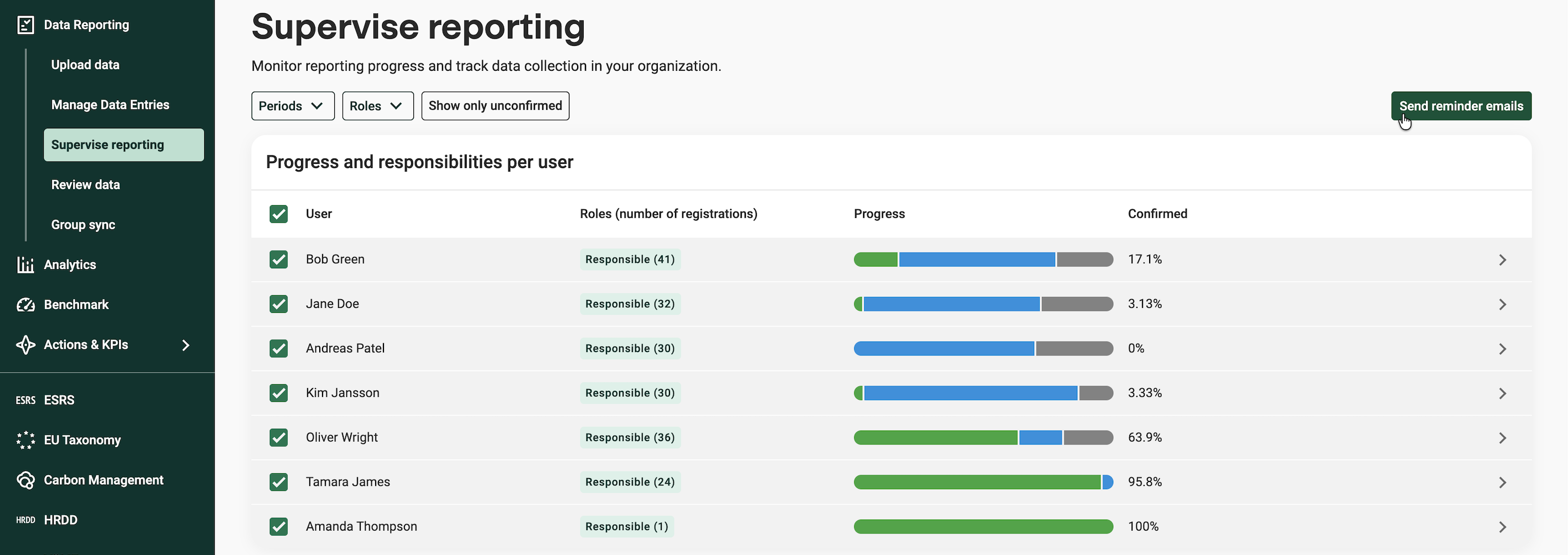
You can send reminder emails to one or several reporters at a time. Email reminders go through the platform and through your mail client.
Reminder emails are based on standard templates. These templates can be adjusted.
For multiple recipients:
- Send a reminder by selecting the relevant reporters in the list.
- Use the "Send reminder emails" functionality on top right of the page.
- Use "Show only unconfirmed" to limit the list to only show users with unconfirmed registrations
Send automatic reminders
In Settings -> Notifications it is possible to activate the setting send automatic reminder emails.
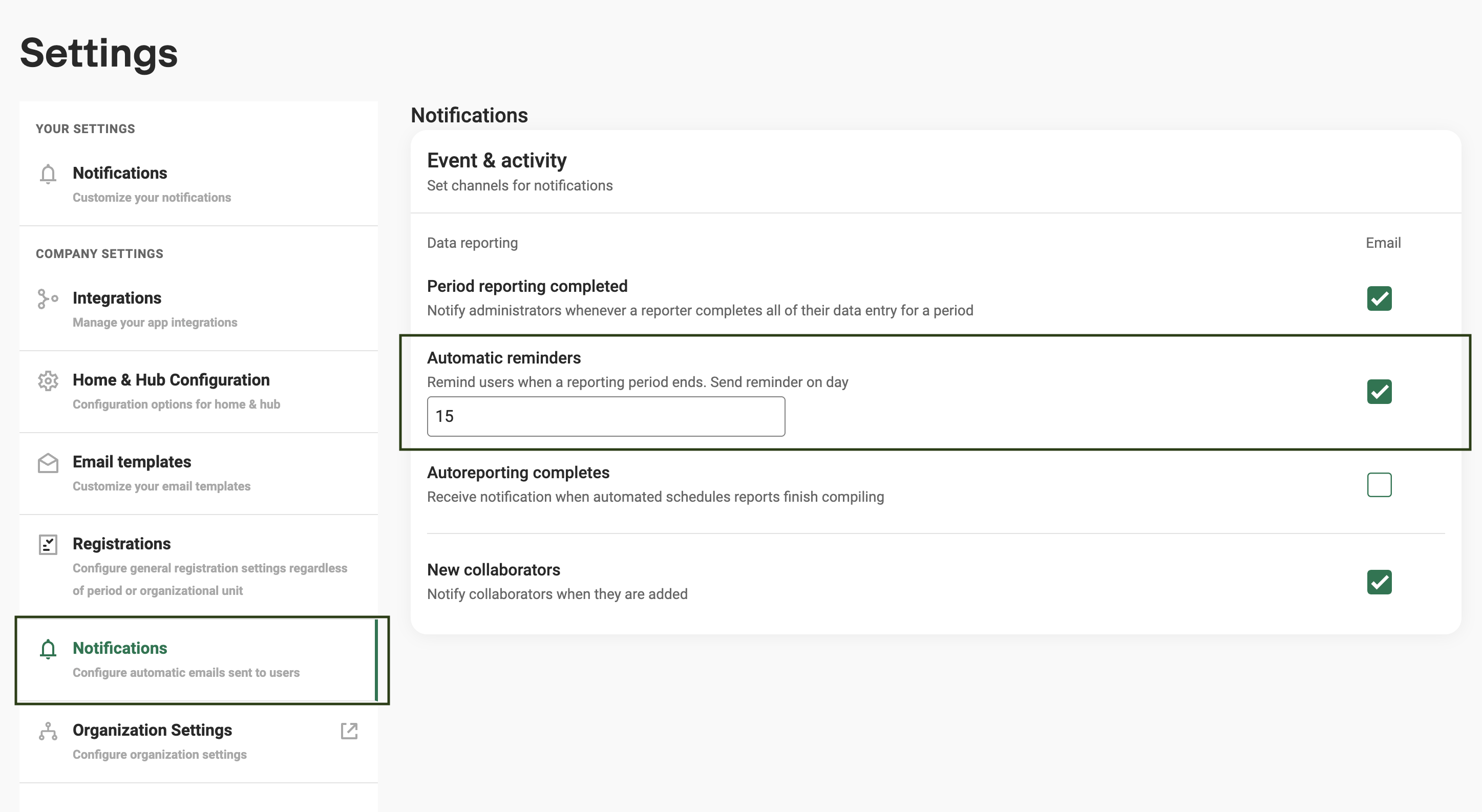
Day number to send reminder on - When activating the above setting you are given the option of selecting which date of the month the reminder should be sent. Reminders are only sent for registrations that are unconfirmed and have passed their registration date. So e.g. if your company has quarterly reporting and set the remind date to "1" the first reminder will be sent out on April 1st.
Was this article helpful?
That’s Great!
Thank you for your feedback
Sorry! We couldn't be helpful
Thank you for your feedback
Feedback sent
We appreciate your effort and will try to fix the article