TABLE OF CONTENTS
What is AutoReporting?
AutoReporting is an AI-driven feature that assists users in generating draft responses for sustainability datapoints using two main sources:
- Customer-provided documents, such as policies, disclosures, reports, certifications, procedures, contracts, and similar materials.
- Customer-provided inputs within the reporting flow, such as manual answers, notes, and datapoints.
The system analyses these materials to produce AI-suggested answers that the user can refine, approve, or override while maintaining full control.
AutoReporting accelerates reporting while ensuring that all outputs remain transparent, traceable, and editable.
Multilingual AutoReporting is supported. Users can upload documents in their original language, while the company’s selected reporting language defines the output language of generated answers.
Where and how AI suggestions can be triggered
AutoReporting can be triggered from different levels of the reporting flow to fit different working styles, from full runs to highly targeted generation.
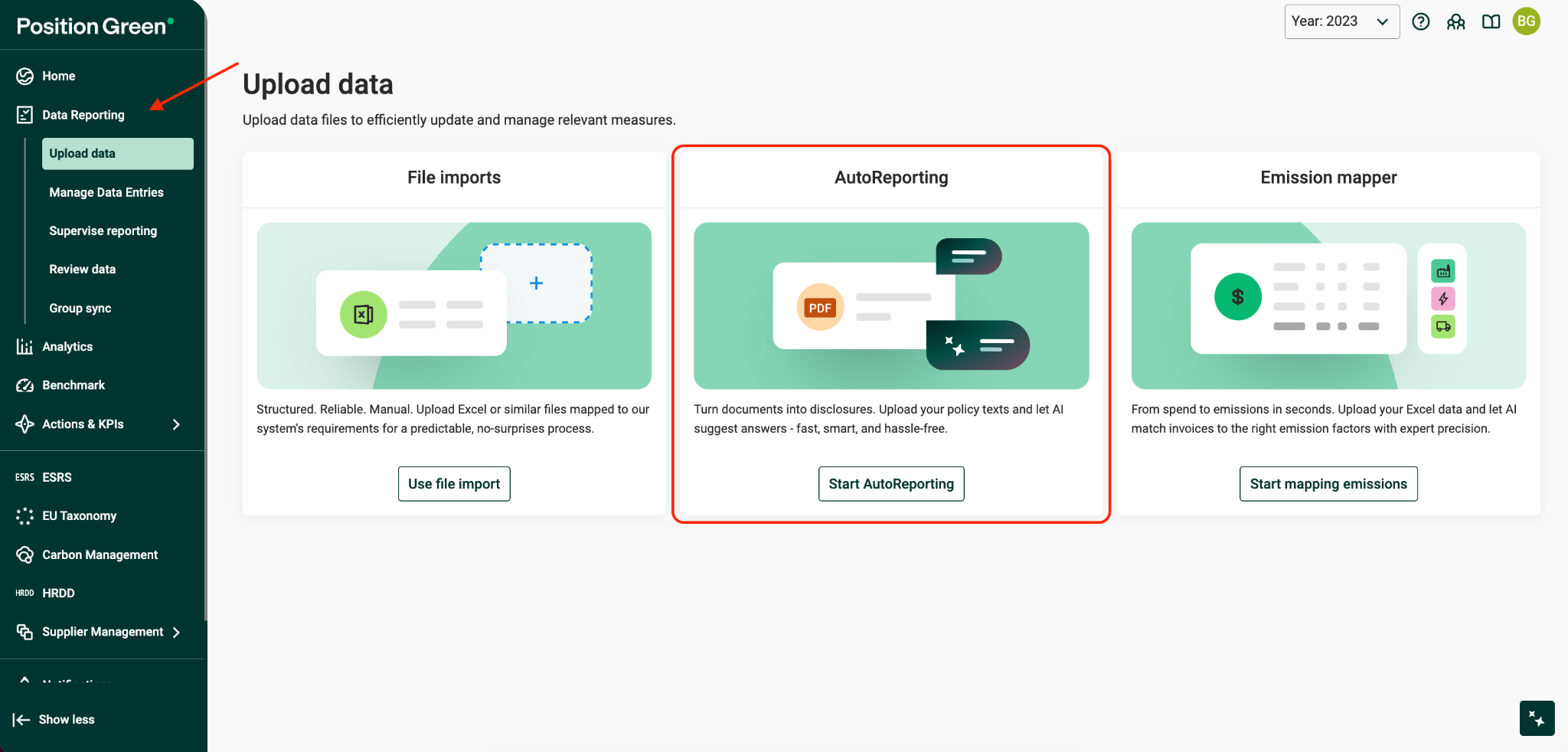
Upload Data Page → Start AutoReporting
In short: Users upload documents first. The system uses these documents to prepare answer suggestions.
The Start AutoReporting action remains accessible for users who want to begin from a document-driven perspective.
Flow:
- Select Upload Data → Start AutoReporting
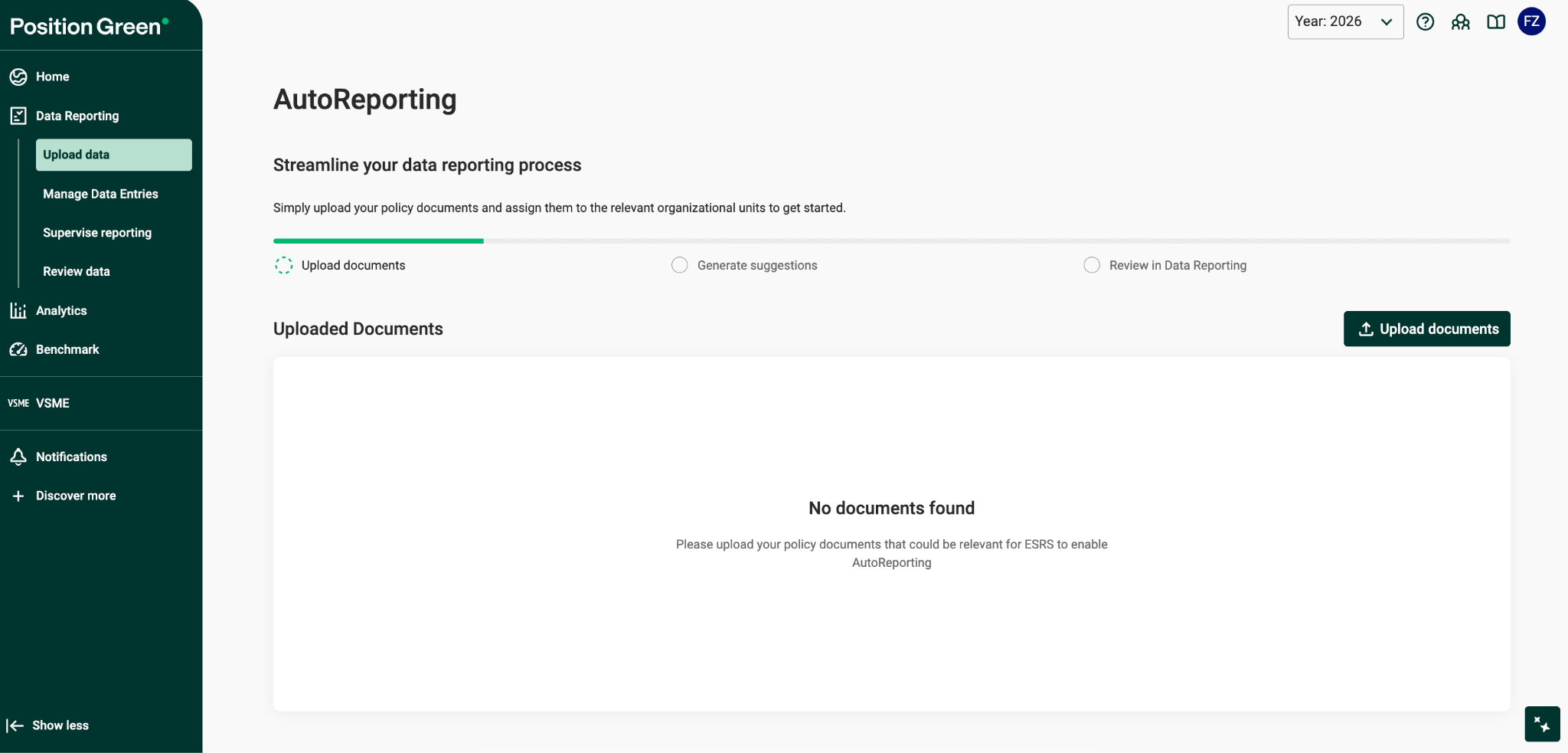
- Upload documents by dragging and dropping files or selecting files.
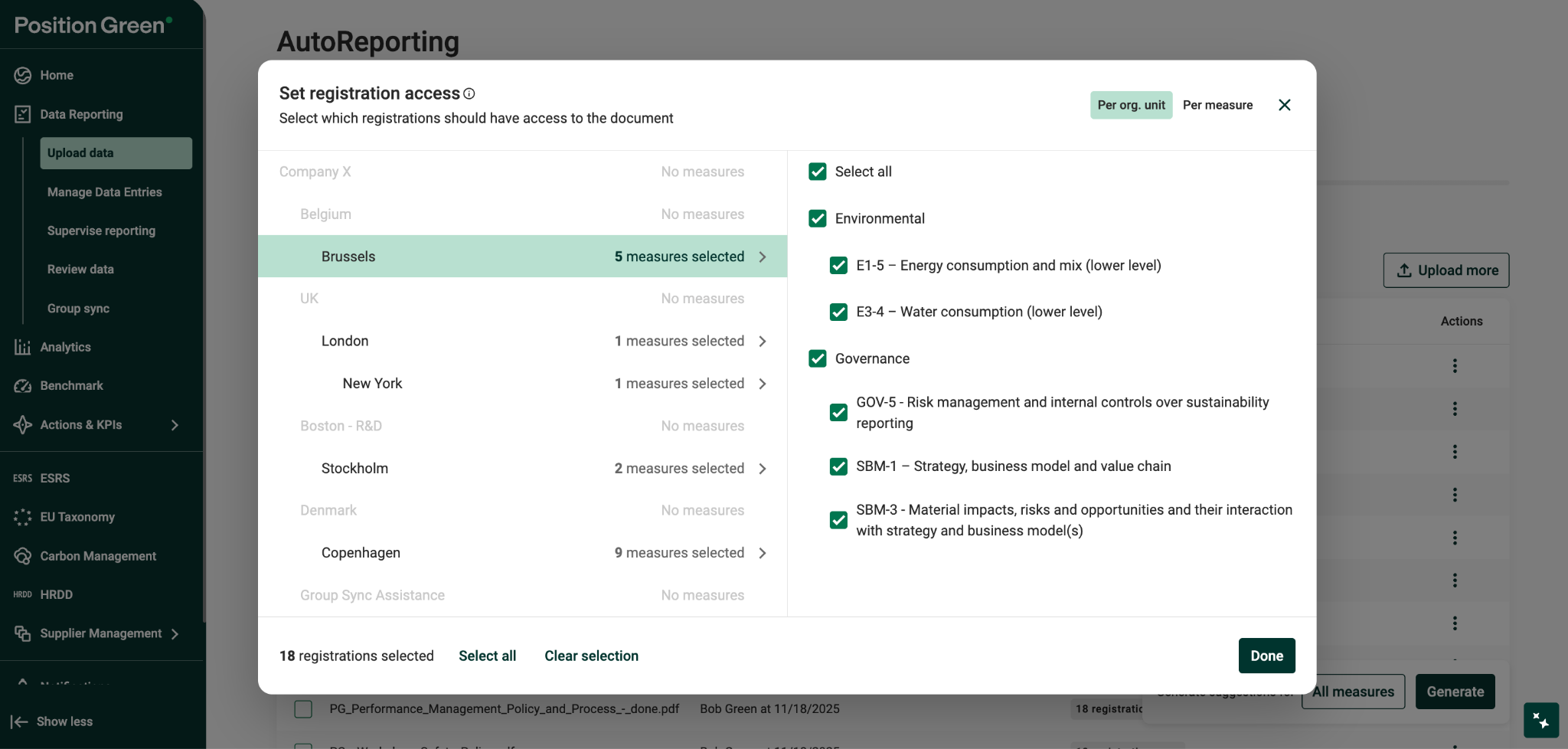
- Verify organizational unit mapping.
- Verify the ESG measure mapping.
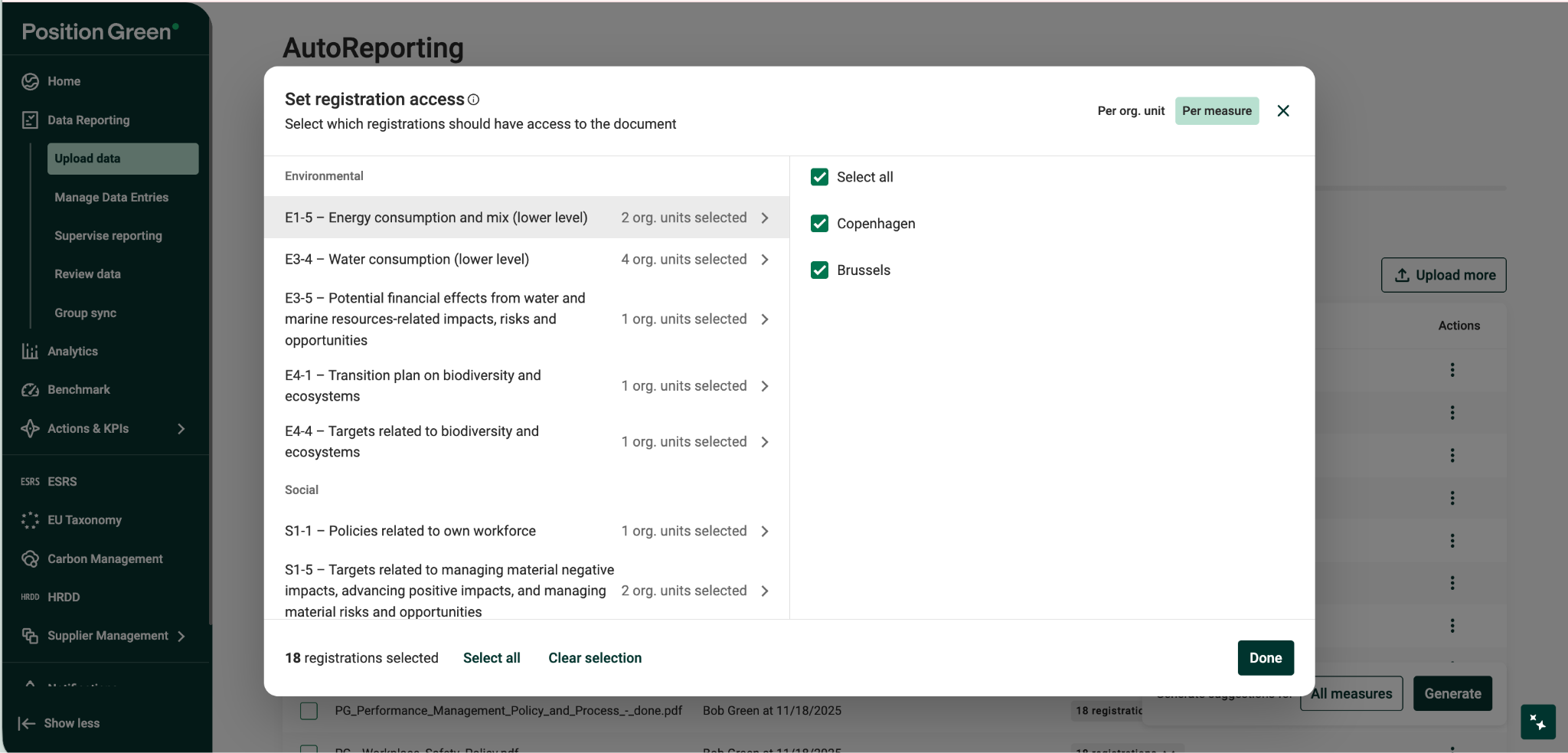
- Review and select the relevant ESG aspects, such as Environmental, Social, Governance, and/or specific measures.
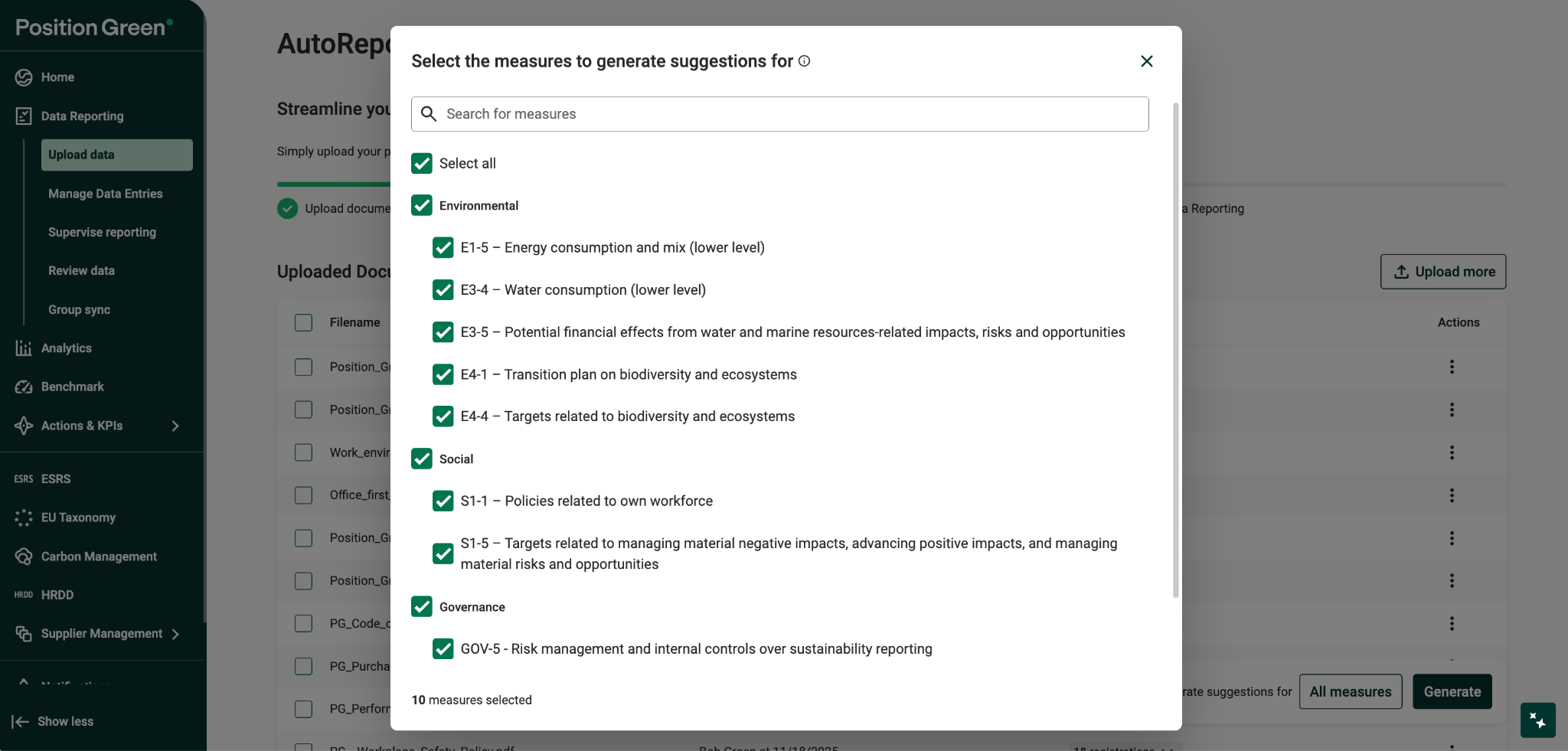
- Click Generate.
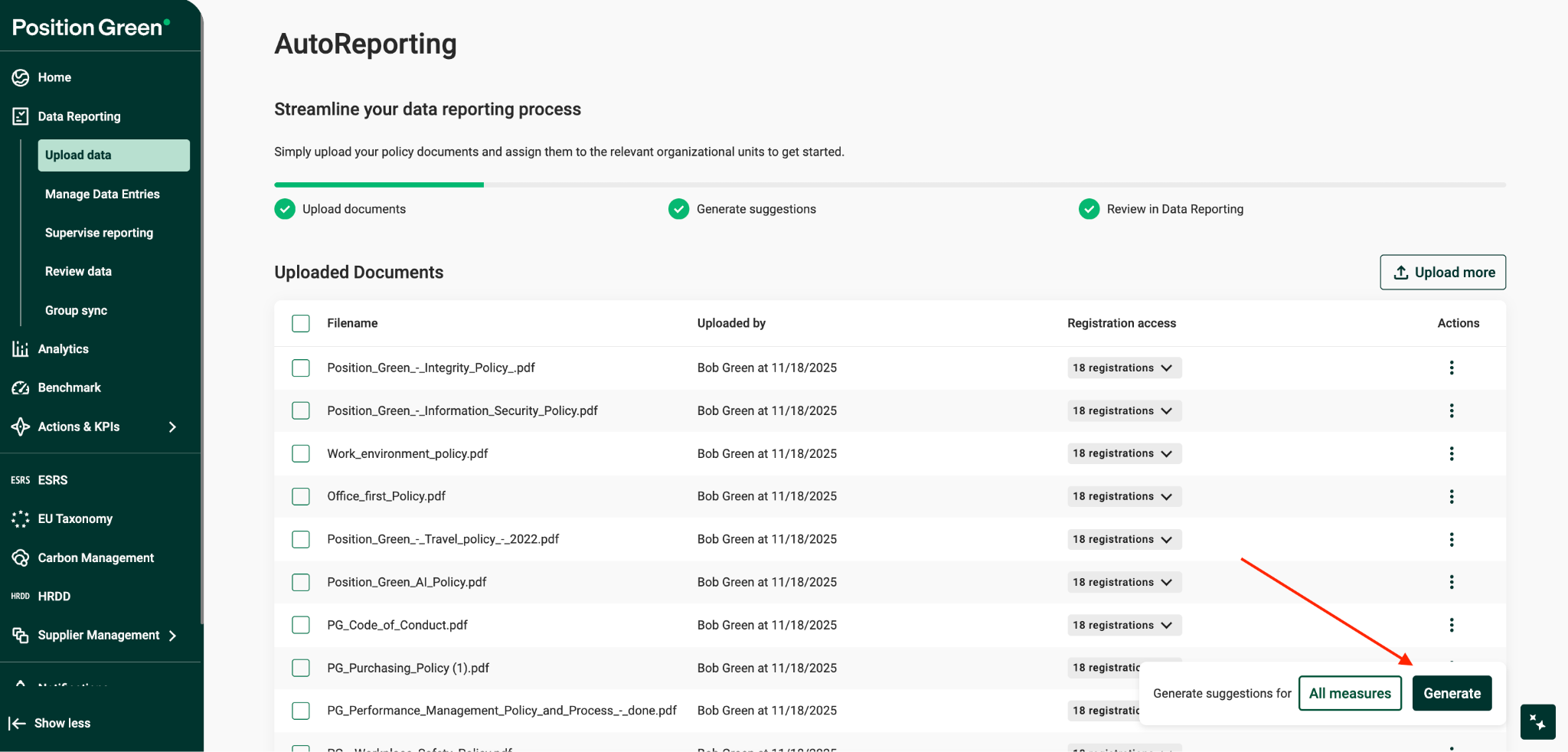
- Review suggestions in the Data Reporting view.
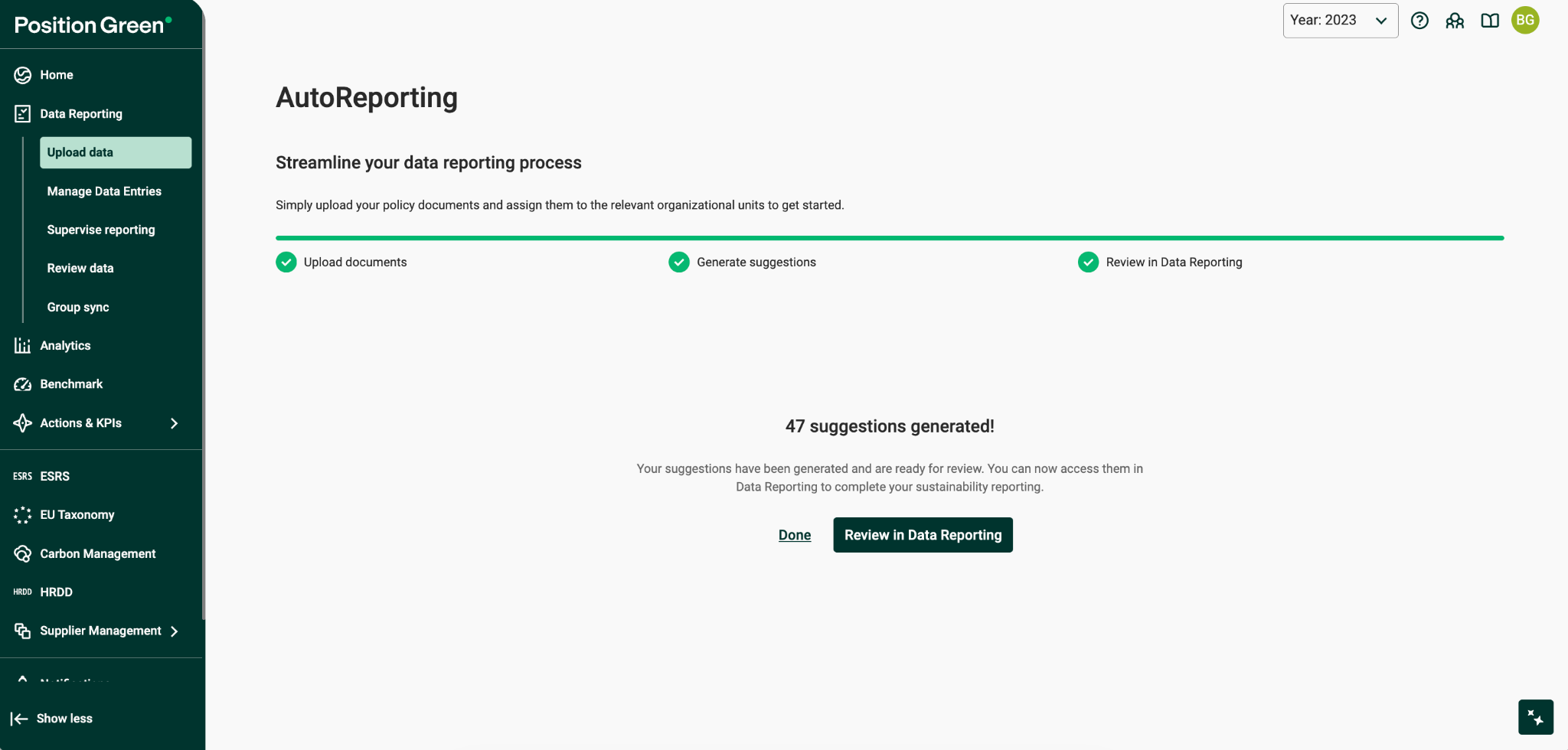
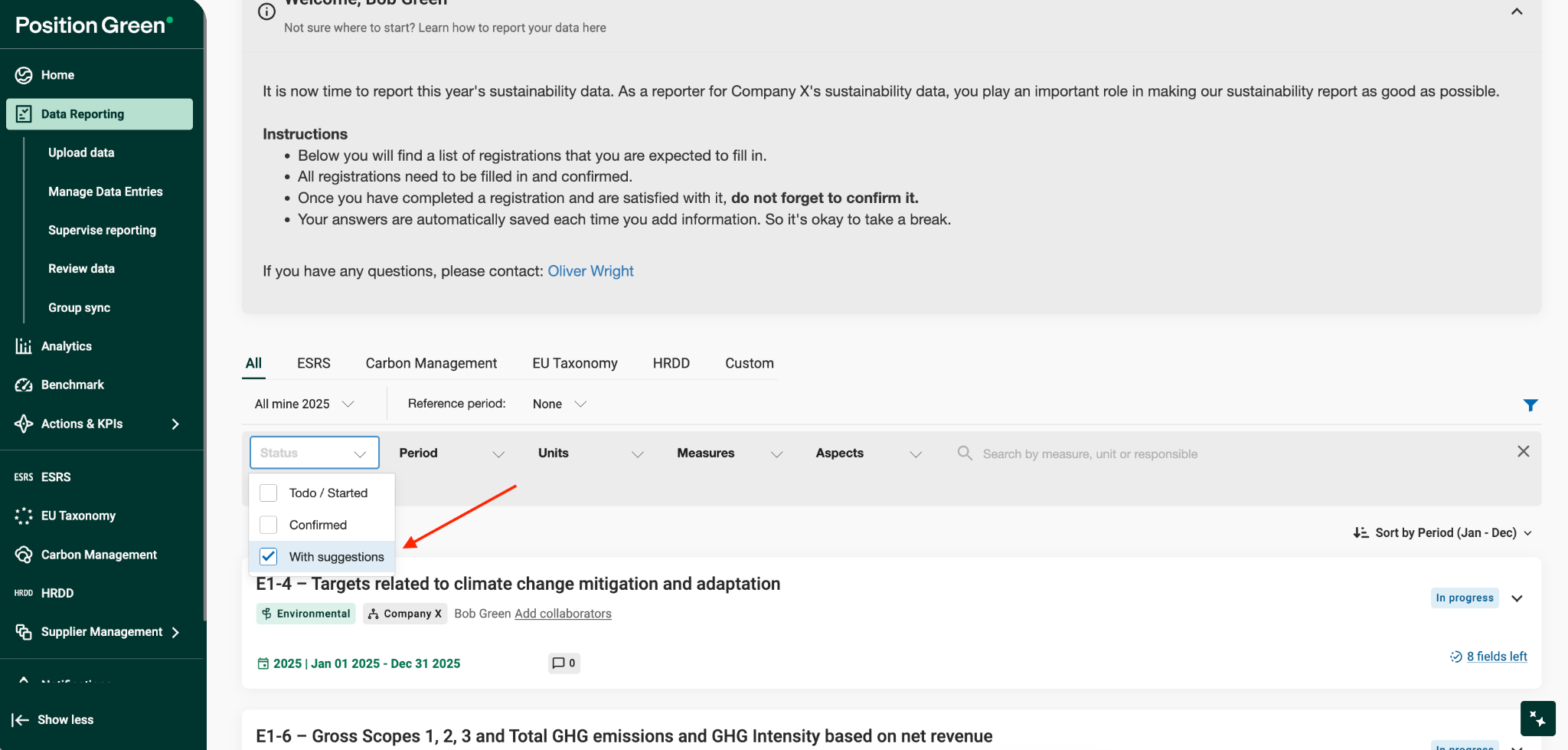
- Locate measures and datapoints with AI suggestions.
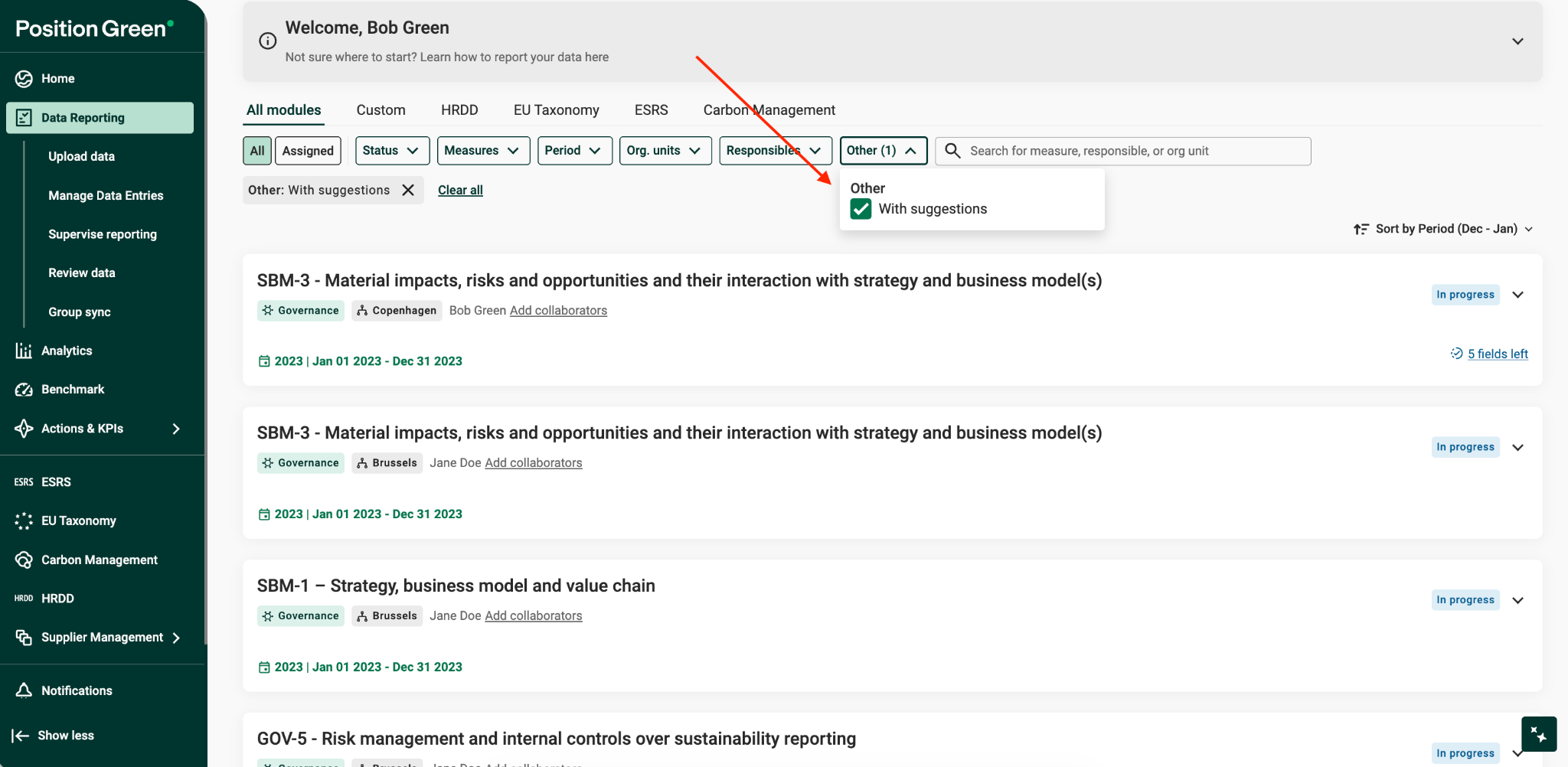
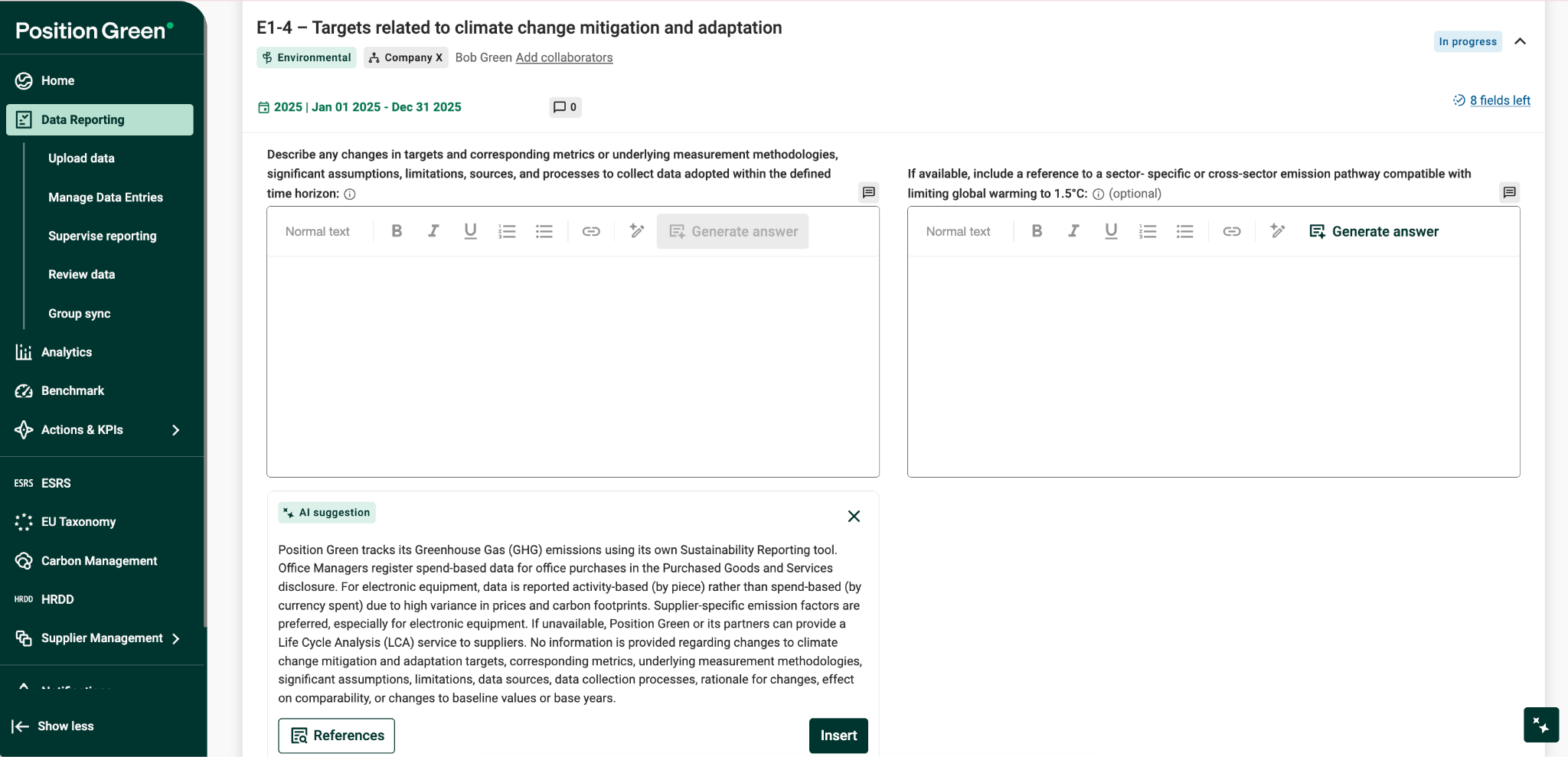
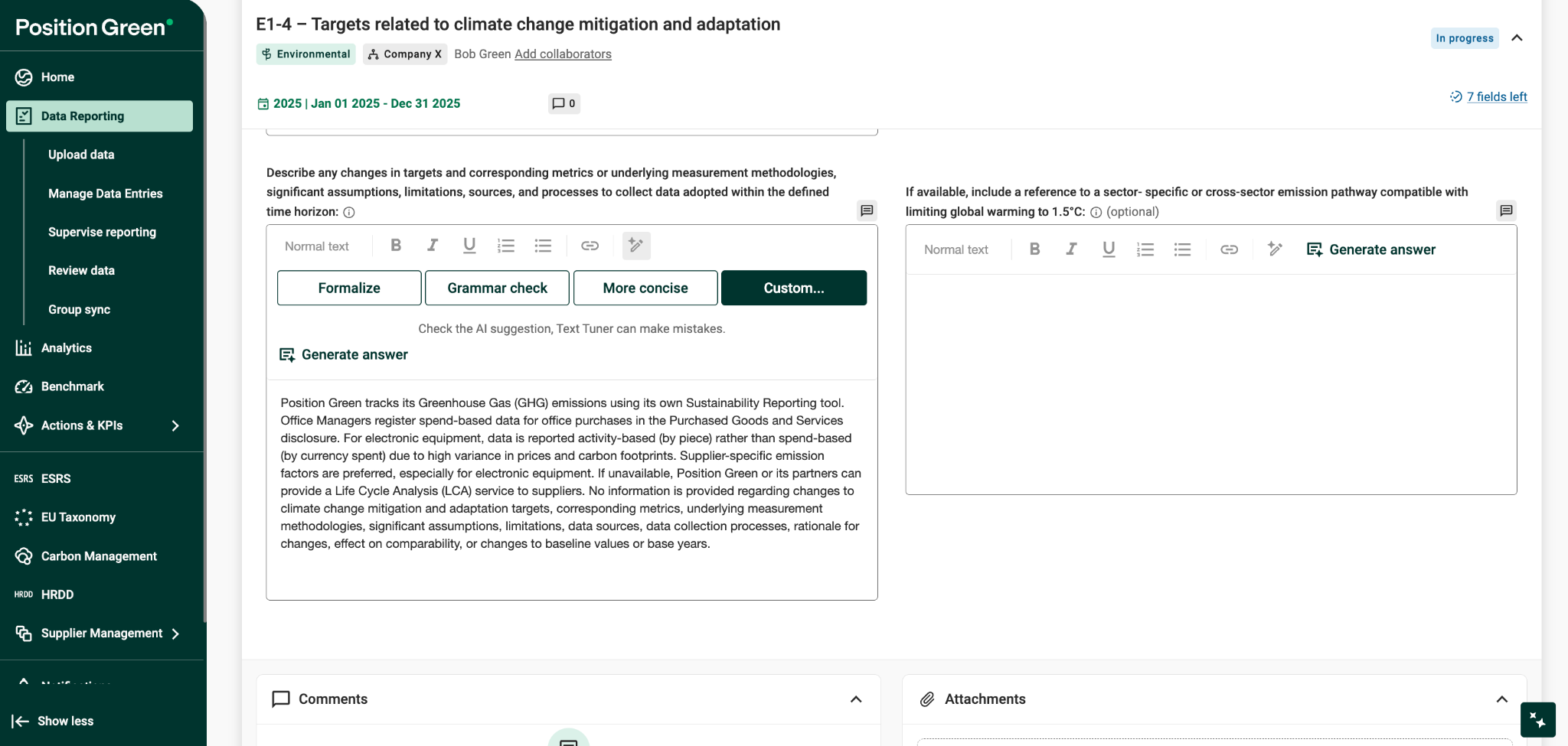
- Review AI-suggested answers in the Data Reporting view.
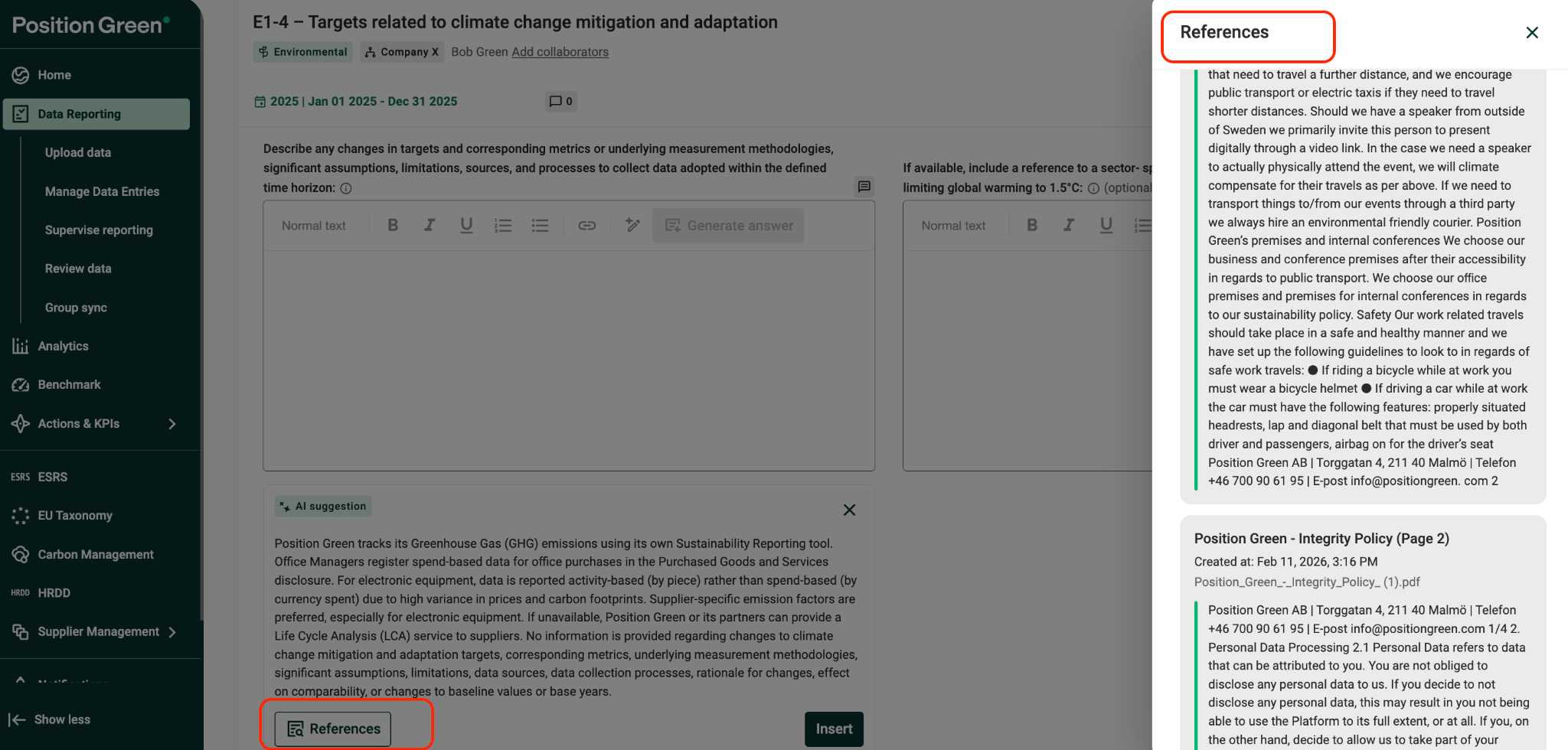
- Open references to view source documents.
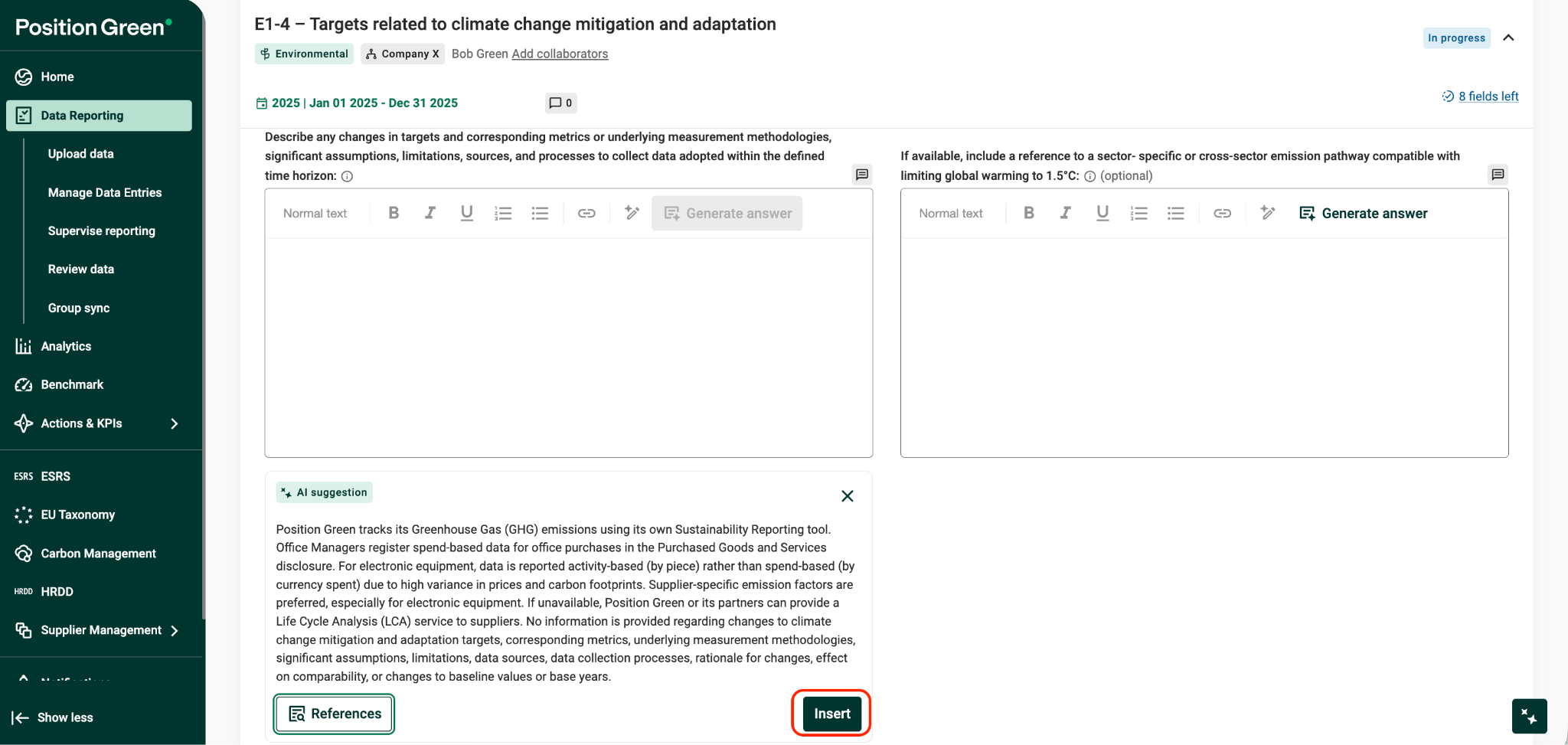
- Insert and edit AI-generated responses.
- Optionally tune responses using options such as formalize, concise, grammar, or custom instructions.
Measure-level Generation
Overview
AutoReporting now supports generation at the measure level, allowing users to trigger AI suggestions for a specific group of related questions, such as an ESRS measure like E1 or E5.
Definition:
A measure is a group of related questions, such as an ESRS block like E5, Resource outflows.
What is changing
Previously, AutoReporting generated suggestions across all qualitative datapoints at once.
Now, users can trigger AI suggestions per measure, enabling more targeted and flexible workflows.
Why this matters
Many customers already have partially completed reports and only need AI support for:
- A specific ESRS or VSME measure.
- A measure requiring new supporting documentation.
- Validating or improving existing manual answers.
Measure-level generation reduces unnecessary rework and aligns AutoReporting with real reporting workflows.
Who this is for
This is intended for customers who:
- Use ESRS and/or VSME reporting.
- Have approved AI Terms & Conditions.
- Prefer selective AI assistance instead of full-run generation.
How it works
Users can:
- Upload supporting documents.
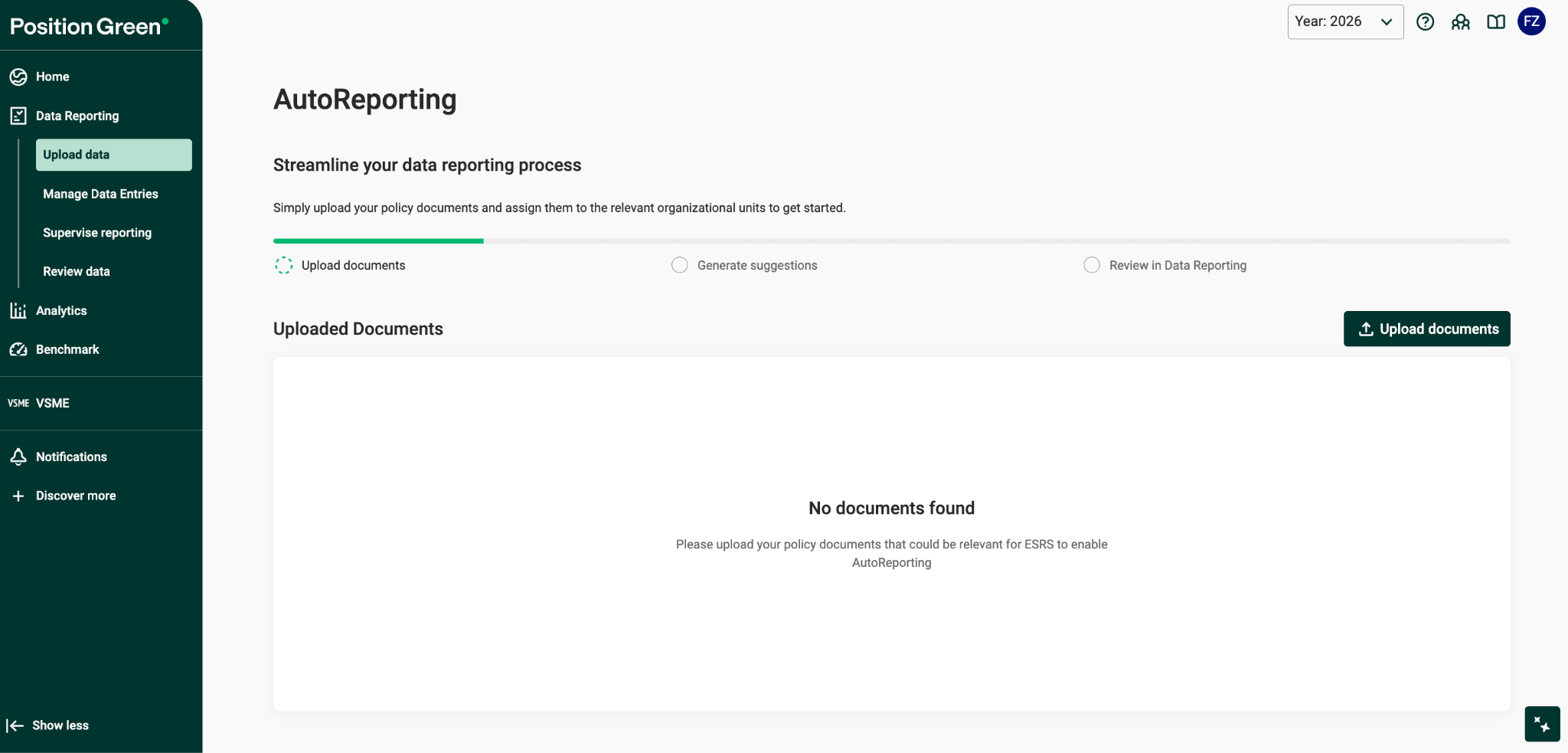
- Assign documents to the relevant organization and measures.
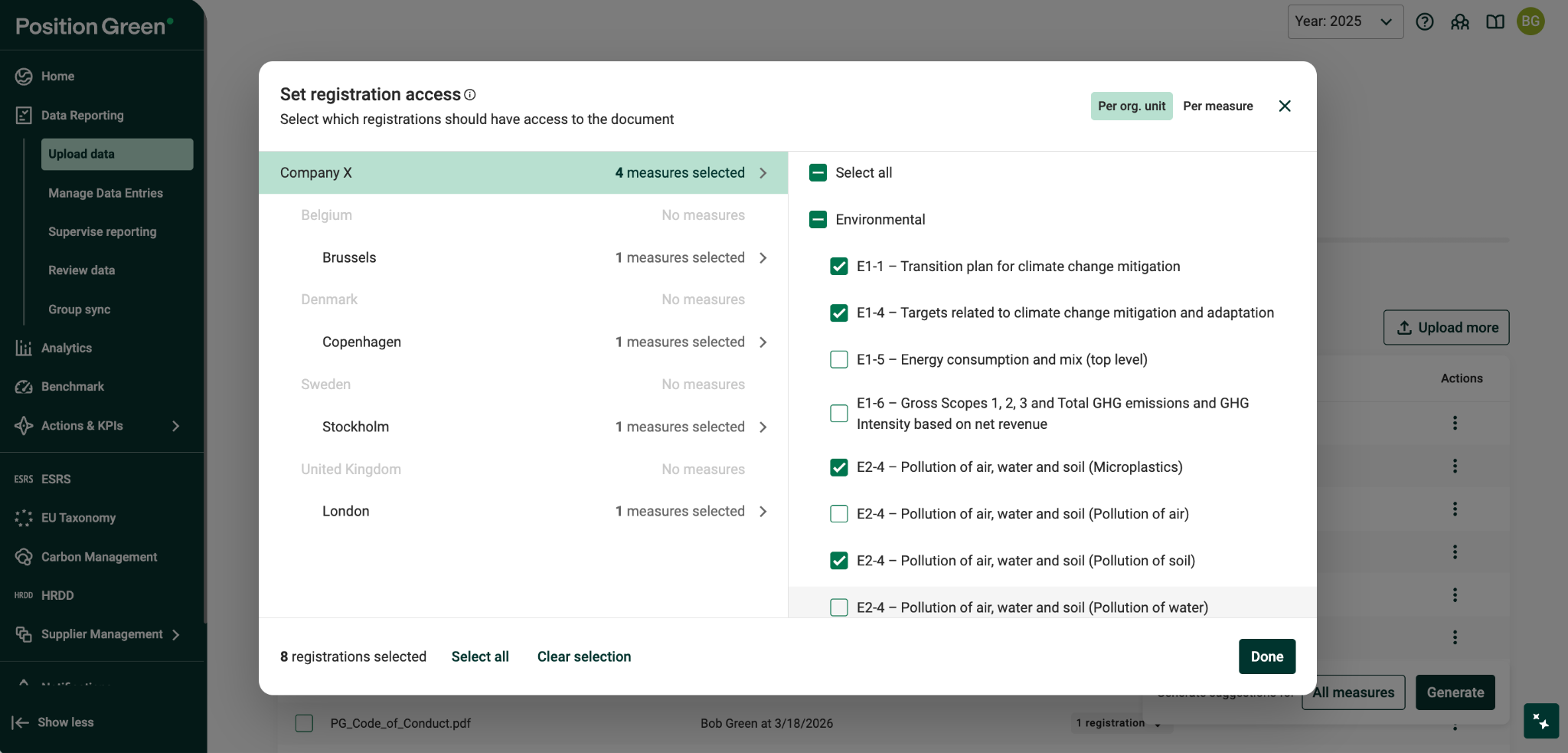
- Select the measures for which AI suggestions should be generated.
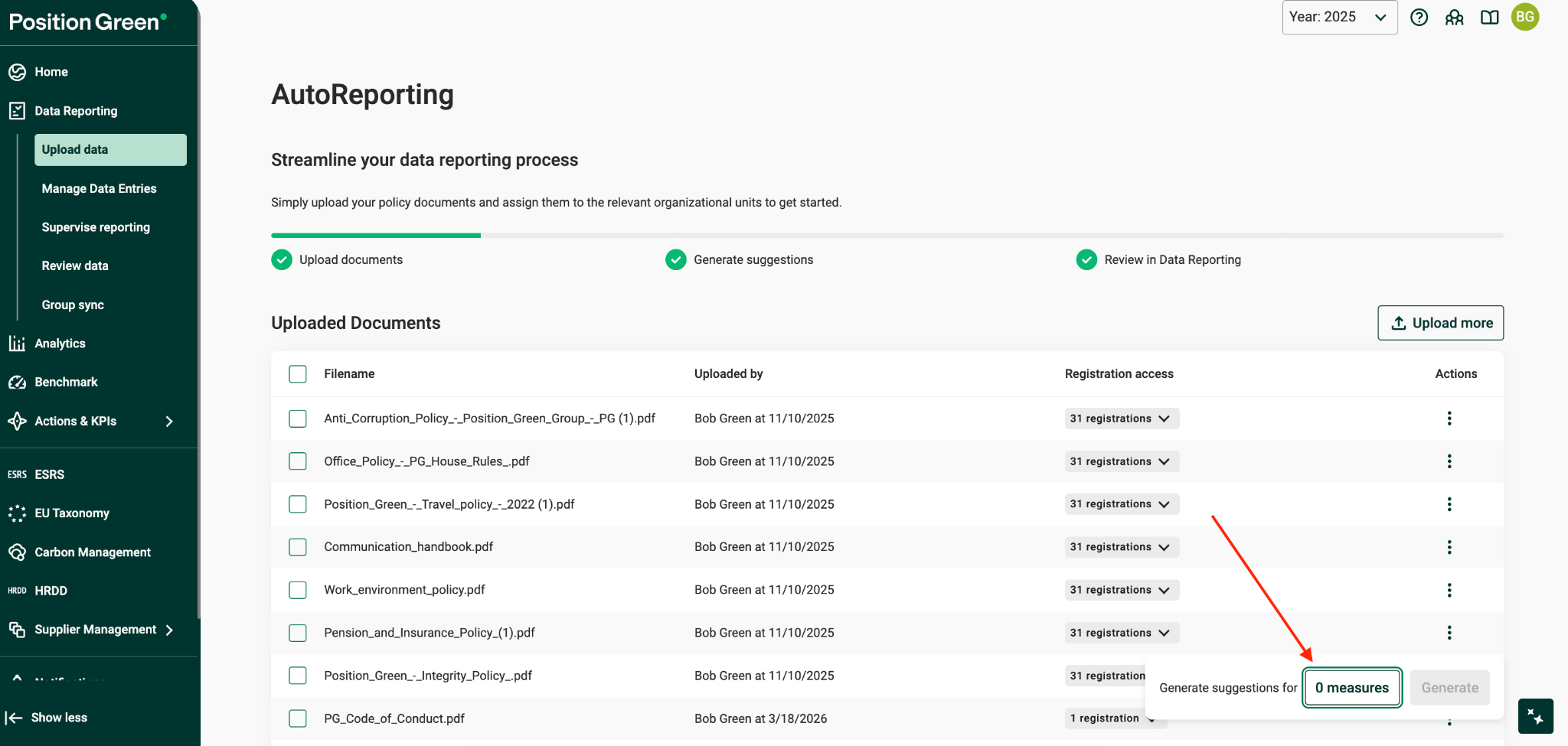
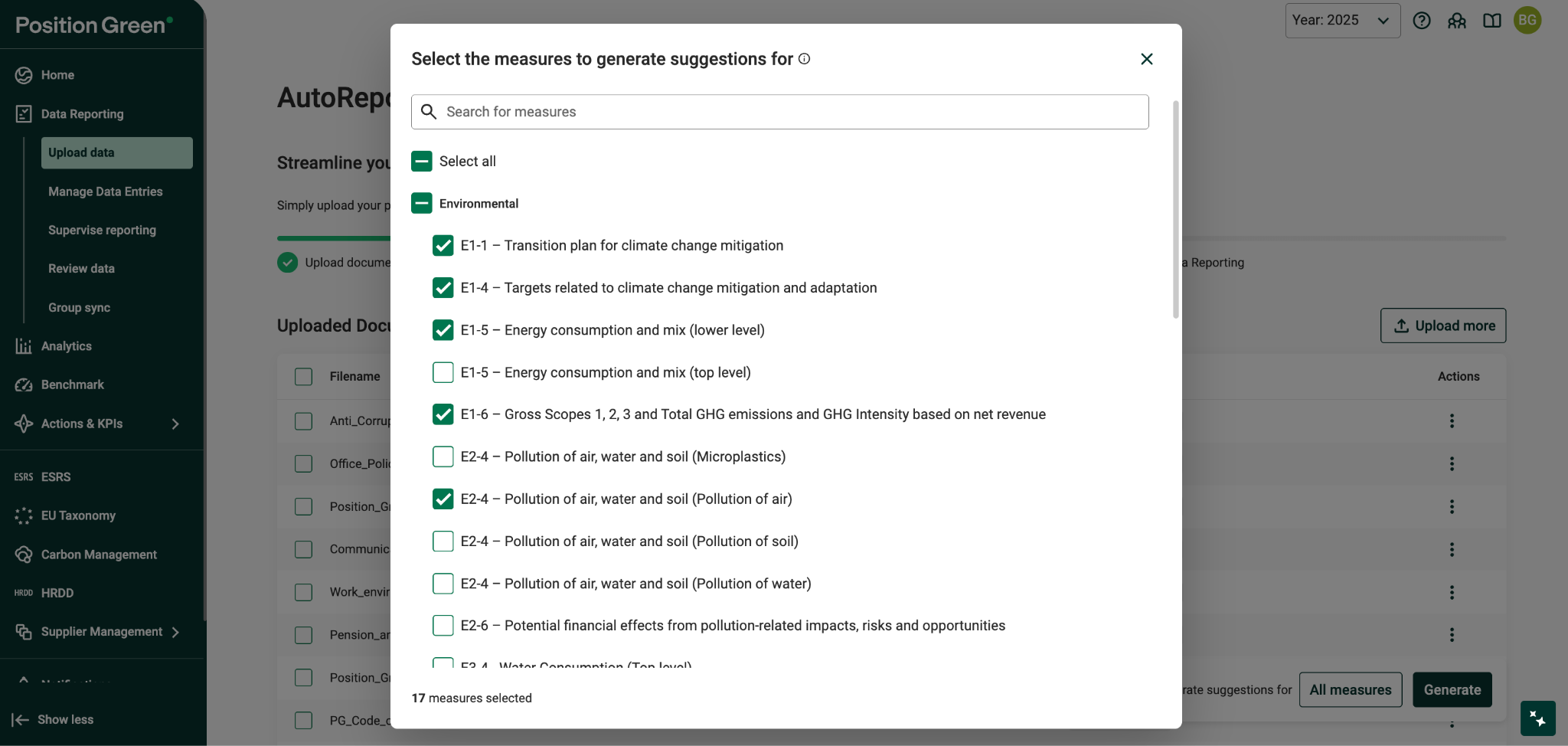
- Trigger Generate for AI suggestions at the measure level.
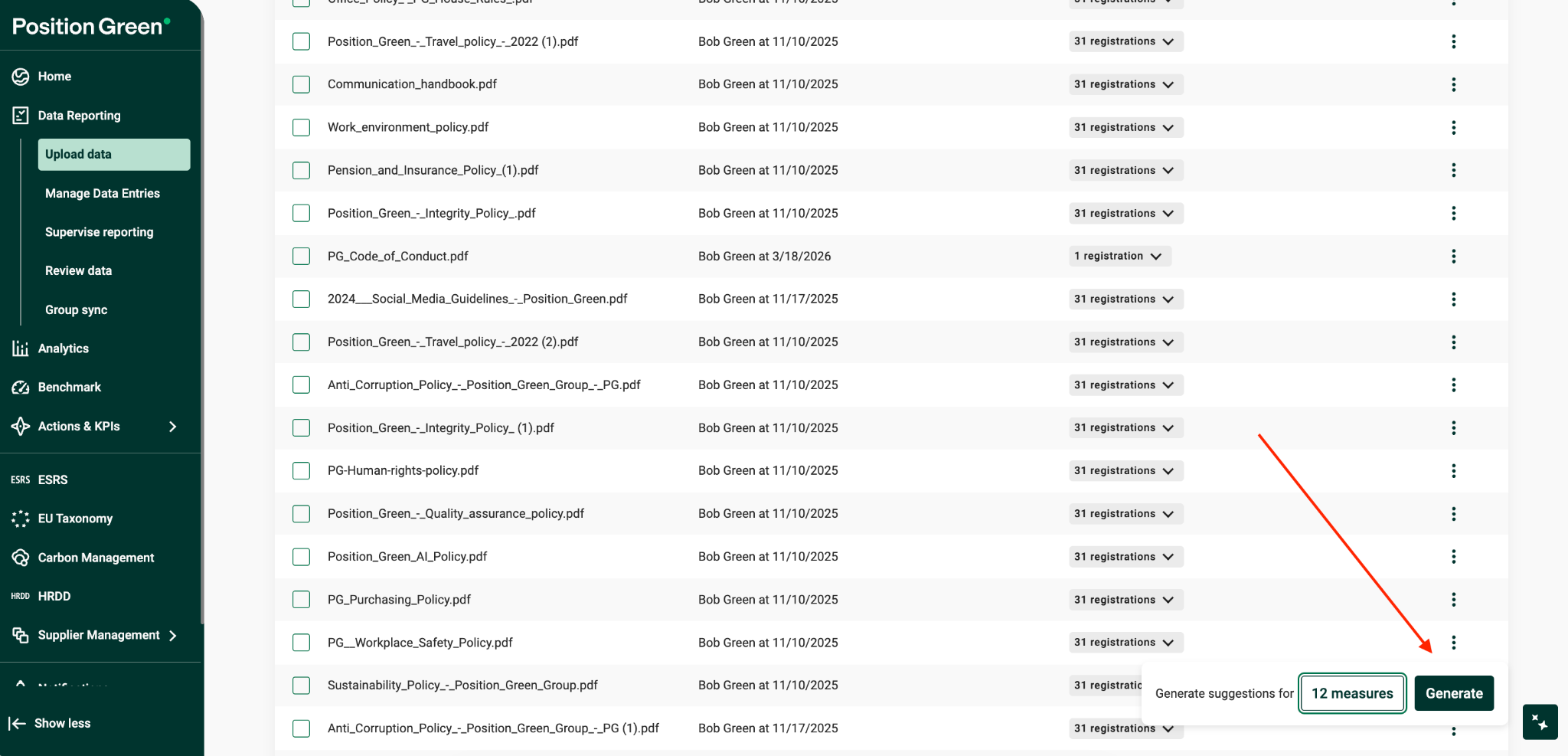
Where to find it
The Generate trigger is available:
- On the Upload Data page.
- At the measure level within the AutoReporting flow.
What stays the same
- The overall ESRS/VSME reporting flow remains unchanged.
- No customer data is re-reported.
- No reported data is modified automatically.
Datapoint-level Generation
Overview
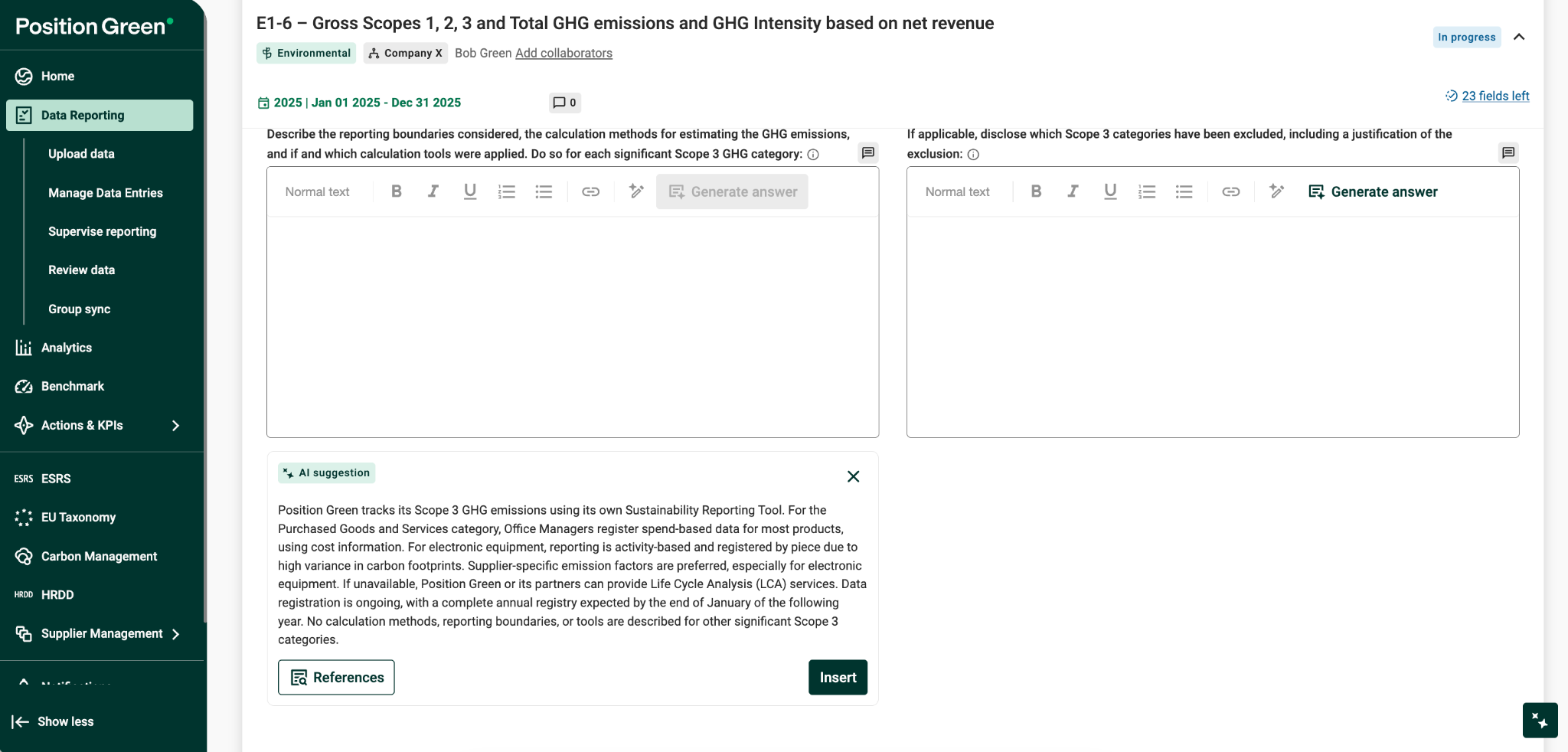
Datapoint-level generation, also referred to as Sniper mode, allows users to generate AI suggestions at the most granular level: a single question, datapoint, or control.
Problem it solves
Some users:
- Already answer most datapoints manually.
- Need AI support only for a specific datapoint.
- Want to compare their answer with an AI suggestion.
- Need to upload new documents for one datapoint and regenerate.
What is changing
Users can now generate AI suggestions:
- Per individual datapoint/control, meaning a single question.
- Limited to rich text answers, also referred to as controls.
Key user flows
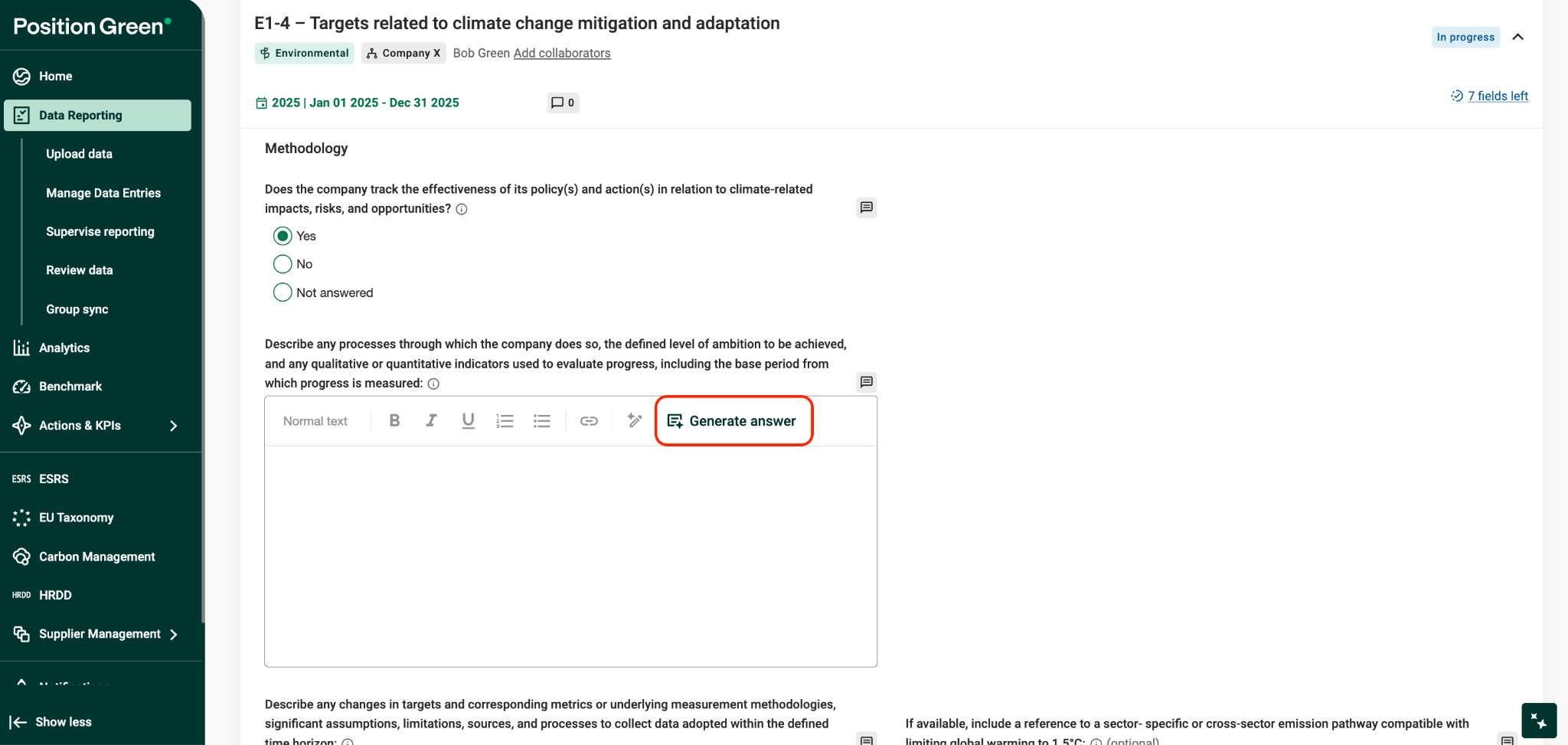
1. Generate AI suggestion for a single datapoint
- Trigger Generate answer directly from the datapoint view.
- Access the action from the button next to the question.
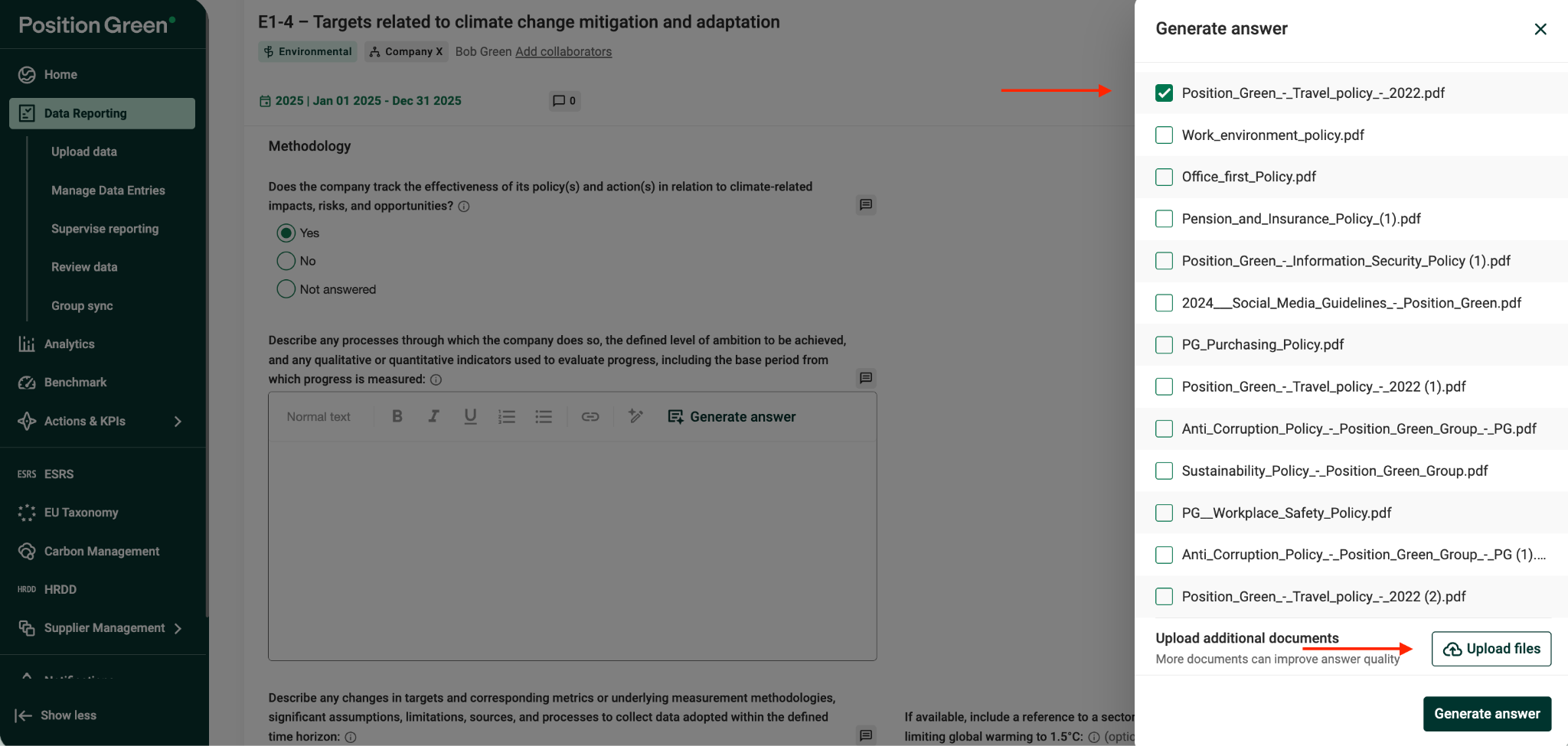
2. Upload supporting documents in context
- Select already uploaded and mapped documents, or upload new documents directly within the datapoint view.
- No need to leave the current workflow.
3. Trigger generation from documents
Users can generate suggestions:
- Immediately after uploading a document.
- After the answer is generated, users can review and Insert the AI-suggested answer.
Scope and limitations
Granularity definition:
Datapoint/control means a single question within a measure.
Existing answers supported:
- AI can generate suggestions even if a manual answer already exists.
- AI incorporates existing responses to ensure continuity.
Document handling considerations
- Duplicate files are automatically detected.
- If a file already exists:
- The user is notified.
- The user can choose to map it to the current context.
Operational notes
- Available for ESRS and VSME customers.
- No impact on reported data.
- No re-reporting required.
- Enables finer granularity without changing the reporting flow.
Key Capabilities
AI Transparency and Reuse Logic
If a user already has a manually written response, the AI:
- Reuses and incorporates it into new suggestions.
- Preserves institutional knowledge.
- Reduces rewrite loops.
Transparency and Full Traceability
Every AI suggestion includes:
- Direct citations to source documents.
- A Reference button showing the document name and section.
FAQ
Q: What exactly happens when a customer uploads their data?
- When documents are uploaded, they are processed and indexed in Position Green.
- The AutoReporting engine then analyzes the content of these documents and uses it to generate suggested answers for relevant ESRS or VSME questions.
- Each draft includes traceability, such as citations or references showing which documents and sections were used.
Q: Will suggested answers automatically show up in the measures?
- Yes. Suggestions are shown inside the reporting view.
- Users can filter on suggestions to easily find what AutoReporting has done.
- The user can review, edit, or insert those suggestions into the ESRS/VSME question answer box.
- AutoReporting does not overwrite or auto-fill reported answers.
Q: Is AutoReporting included in our standard offering?
- Yes. AutoReporting is free and included in the standard offering.
Q: Does the customer need to have AI enabled?
- Yes. AutoReporting requires AI to be enabled for the customer.
Q: Does every role have access to AutoReporting?
- Only Controllers can start AutoReporting and upload the relevant documents.
- After suggestions have been generated, all relevant users can see the suggestions on their registrations in Data Reporting.
Was this article helpful?
That’s Great!
Thank you for your feedback
Sorry! We couldn't be helpful
Thank you for your feedback
Feedback sent
We appreciate your effort and will try to fix the article