The VSME Hub is your central dashboard within Position Green for VSME reporting, displaying a real-time snapshot of their environmental, social, and governance (ESG) performance. The Hub consolidates key sustainability metrics and reporting progress into a single, easy-to-read interface.
If you have the VSME module included in your platform, you'll find the VSME Hub located in the left menu.
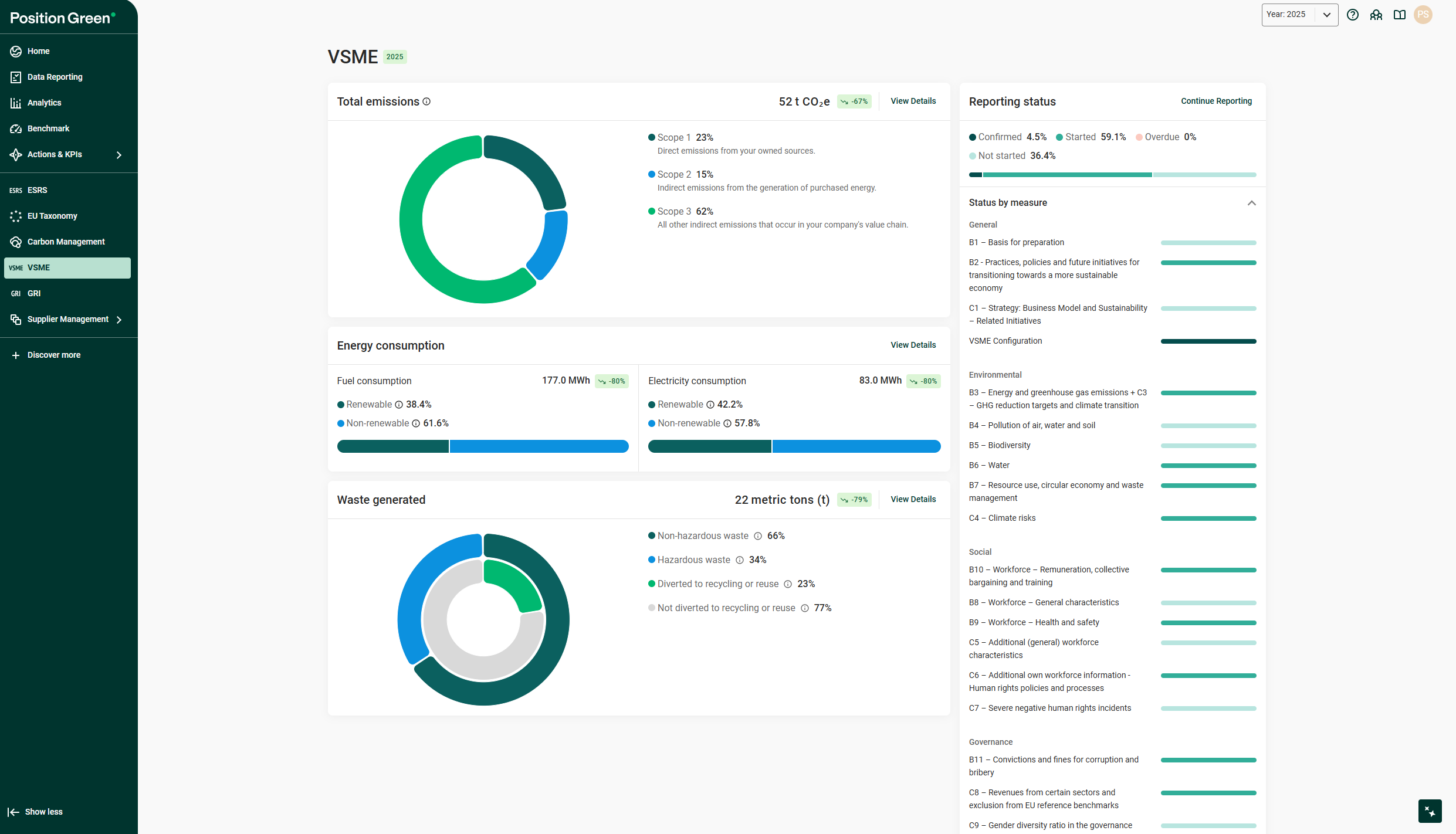
Total Emissions Widget
This widget displays your organization’s total carbon emissions, measured in tons of CO₂e, and breaks them down by scope:
- Scope 1 (Direct emissions): Emissions from your own operations (e.g., fuel combustion).
- Scope 2 (Indirect emissions): Emissions from purchased electricity.
- Scope 3 (Value chain emissions): All other indirect emissions (e.g., suppliers, distribution).
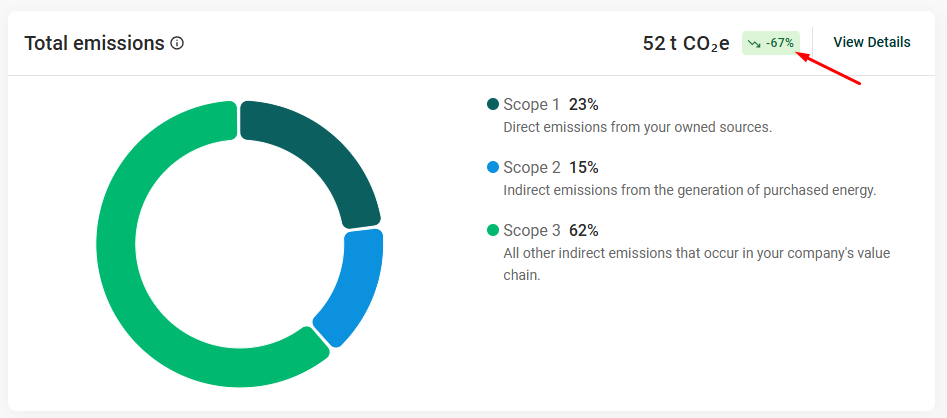
A trend label shows how your emissions have changed over time.
Energy Consumption Widget
Track your company’s energy usage in two categories:
- Fuel Consumption (MWh): Divided into renewable and non-renewable sources.
- Electricity Consumption (MWh): Also categorized by renewable and non-renewable energy.
Progress indicators show the percentage of renewable usage and the overall change in consumption, helping you assess potential decarbonization progress. Trend indicators allow you to see if the values have increased or decreased compared to last reporting period.
Waste Generated Widget
This widget displays your total waste generation (in metric tons) and provides a breakdown into:
- Non-hazardous vs. Hazardous waste
- Waste diverted to recycling or reuse vs. waste not diverted
Color-coded donut charts help visualize your waste management performance and identify opportunities for improvement. A trend indicator allow you to see if the values have increased or decreased compared to last reporting period.
Reporting Status Widget
Monitor your ESG reporting progress at a glance. This widget shows the percentage of measures that are:
- Confirmed
- Started
- Not started
- Overdue
On the right-hand side, you’ll find a 'Status by Measure' list, organized into key ESG categories:
- General
- Environmental
- Social
- Governance
Each category includes progress bars to help you track completion rates and focus your next actions.
Academy Widget
Access learning resources and guidance through the Academy widget. This section links to an Academy course that covers the following areas of the VSME:
- The Purpose and Applicability of the VSME
- The Basic Module
- The Comprehensive Module
- Implementation Tips
Was this article helpful?
That’s Great!
Thank you for your feedback
Sorry! We couldn't be helpful
Thank you for your feedback
Feedback sent
We appreciate your effort and will try to fix the article