Once users are added to the platform, they can be invited to the platform.
How to send invitation to users
- Select one, multiple or all users with the checkboxes to the left.
- Click "Send welcome mail".
- A welcome email with a link to report data will be sent to the user. If selected the sender will receive a copy of the email.
To change the content of the invitation email, see the E-mail templates guide.'
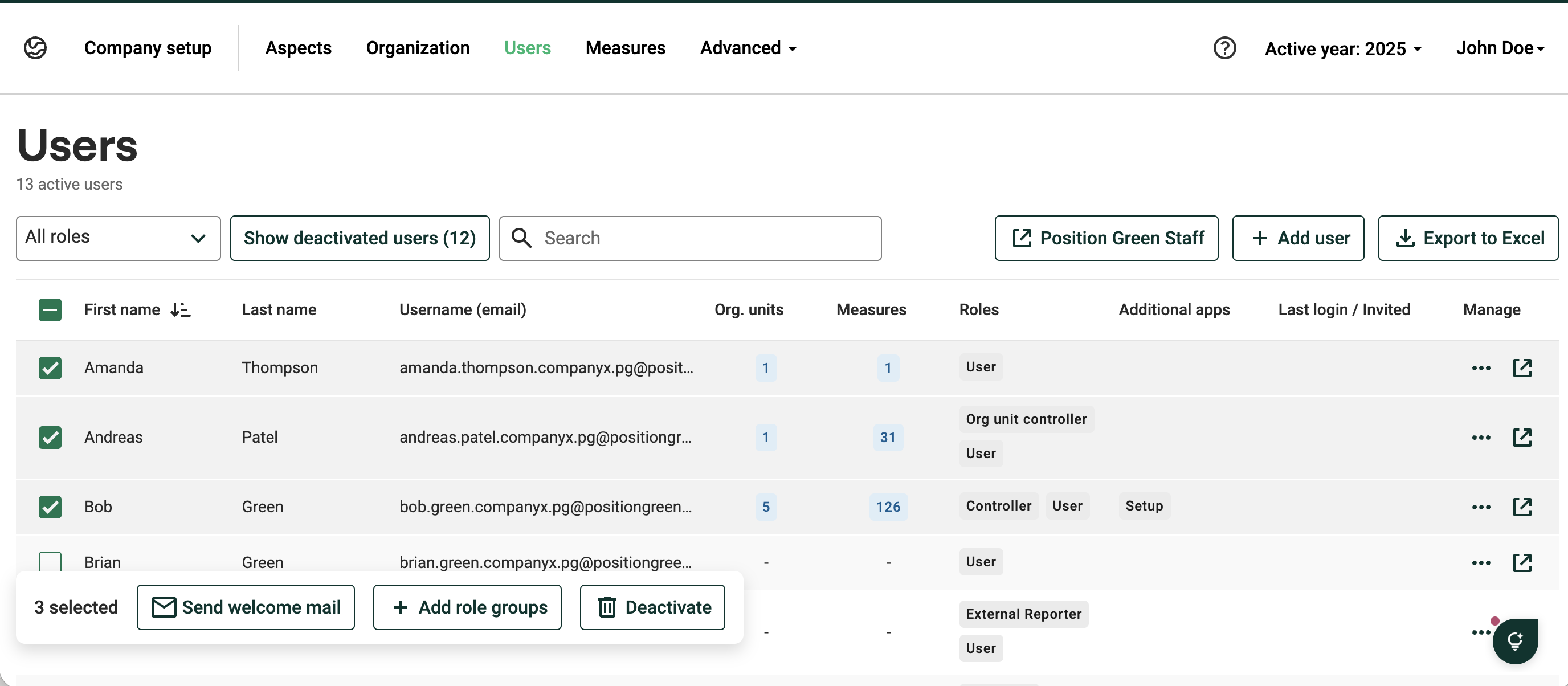 Send multiple invitations by selecting all or a few users.
Alternative way to send invites
To send invitation to a single users, click the three dots under Manage, and then click "Send welcome mail"
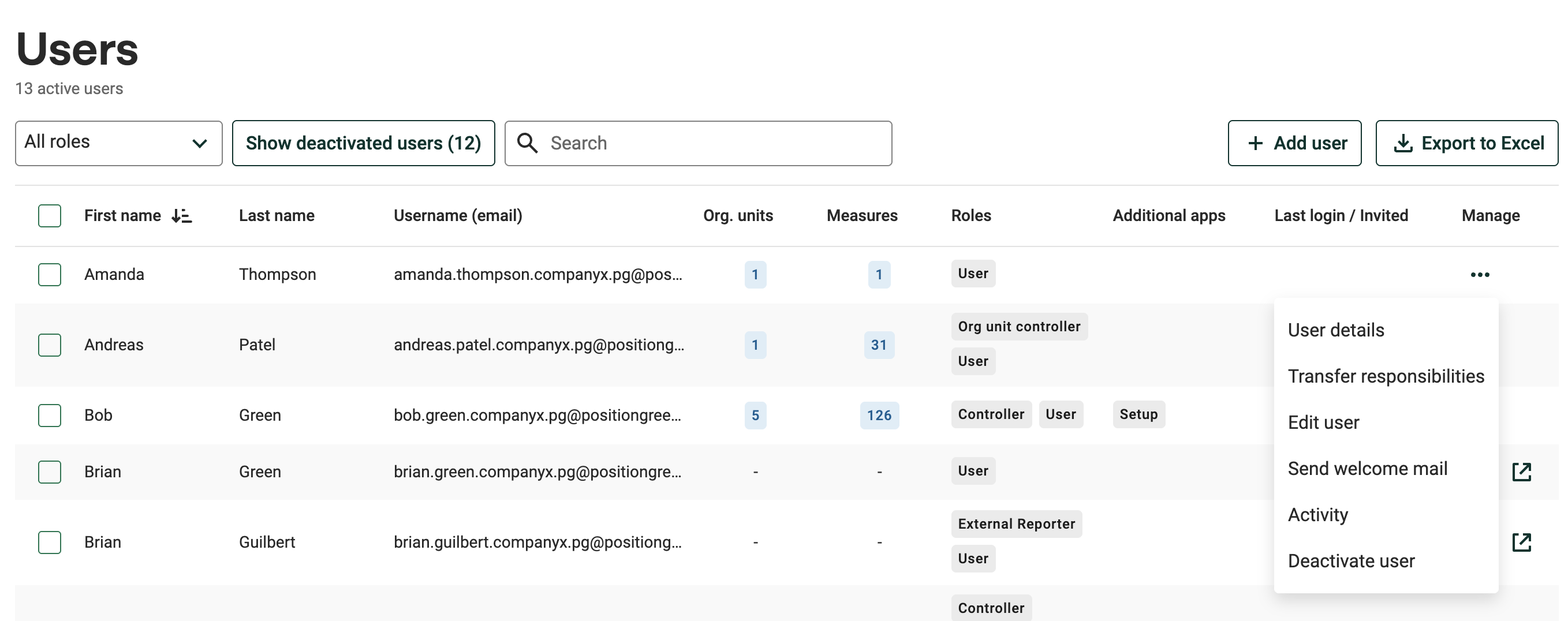
Send single invitations
Follow user activitity
Controllers and org.unit controllers can see;
- If an invitation has been sent.
- If the user has logged in.
- The last time the user logged in.
Was this article helpful?
That’s Great!
Thank you for your feedback
Sorry! We couldn't be helpful
Thank you for your feedback
Feedback sent
We appreciate your effort and will try to fix the article