Collaborators can be added on several levels:
- Org.unit level. See details below.
- Registration level, see Add and manage collaborators.
- Measure level. Go to Edit measure under Company Setup > Measures.
Add collaborators to all measures in an org.unit
To add collaborators to all measures connected to an org.unit, go to Company Setup > Organization and click the Edit icon (pen) on the org.unit in the organization tree. Add users under Collaborators.
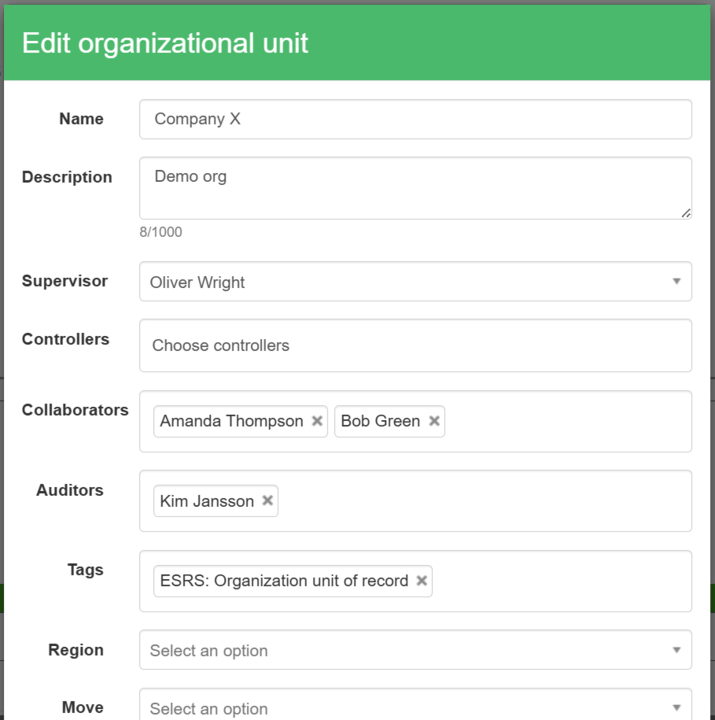
Collaborators field when editing an org.unit
Removing collaborators at org.unit level also removes them from all underlying registrations.
Add collaborators to a single measure on an org.unit
Collaborators can also be added to single measures during setup. Add the collaborators to each measure and click “Save”.

Adding collaborators to measures during setup
Was this article helpful?
That’s Great!
Thank you for your feedback
Sorry! We couldn't be helpful
Thank you for your feedback
Feedback sent
We appreciate your effort and will try to fix the article