Note: Notifications is currently under development and released as Early Access. This means some functionality is not yet available and may change as the feature evolves.Summary
The Notifications feature provides updates about activity related to registrations, data points, and comments. Notifications help users stay informed about discussions and updates that require attention. Notifications are displayed on a personal Notifications page and link directly to the relevant registration or data point.
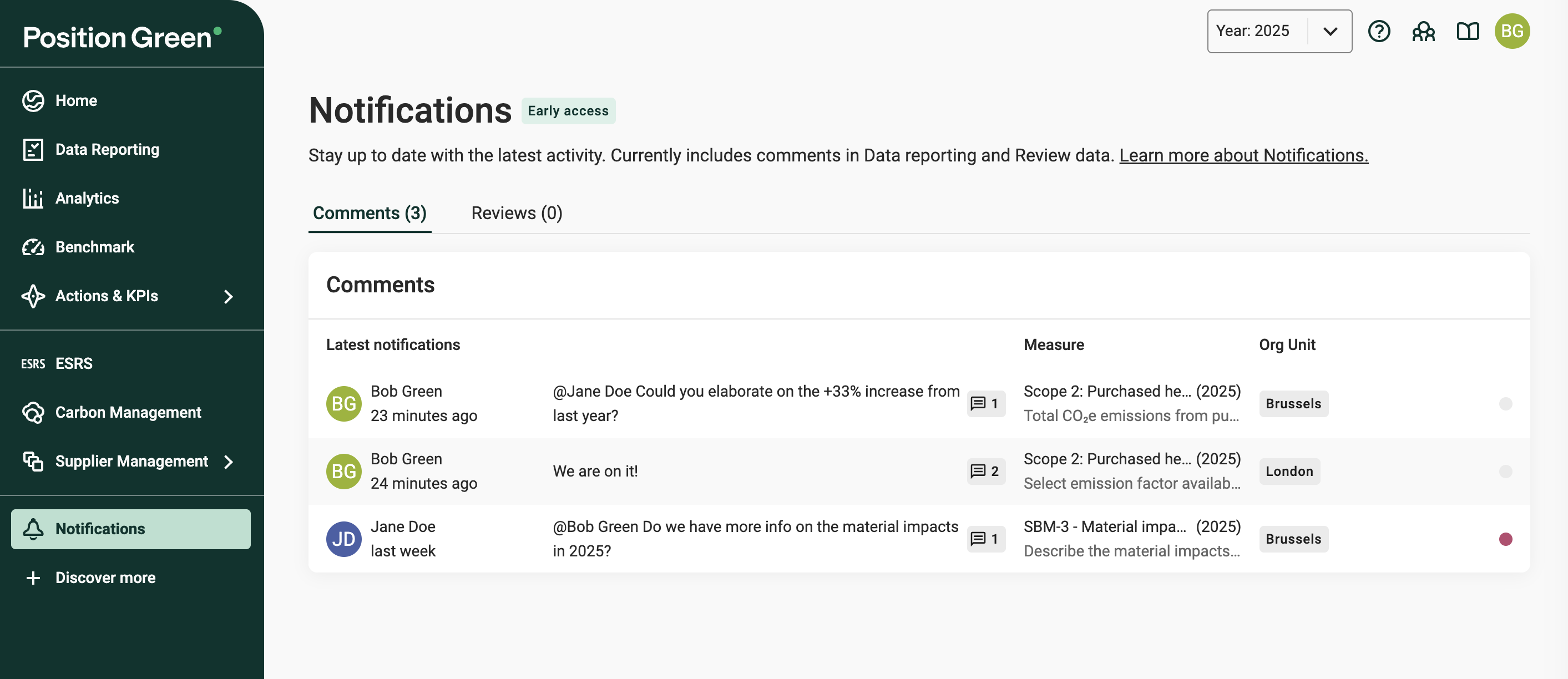
Each notification shows
Who performed the action and when
- The related measure, measure point, reporting period and organizational unit
- When relevant, a preview of the comment or update
Each notification is linked to the related registration or data point. Click it for quick access and follow up on the topic.
What triggers a notification
You will receive notifications for the following events:
Comments
- If you are responsible for a registration, you will get notifications for both:
- comments on the registration
- comments on any data point/answer in the registration.
- Updates in comments:
- Where you have written a comment
- When you received a reply
- Where you have been mentioned (@yourname)
Review status
- If you are responsible for a registration, you will get notifications when any data point/answer in the registration gets an updated review status.
- Collaborators do not automatically get notifications. The responsible reporter can notify them by mentioning them in a comment.
- Collaborators do not automatically get notifications. The responsible reporter can notify them by mentioning them in a comment.
- If you update the review status on a data point, you will get notifications when someone has updated that status.
Learn more about Review status and reviewing
Read and unread notifications
A dot at the end of each notification indicates whether it has been opened or not.
- Unread notification: Shown as a colored dot.
- Read notification: Once the notification has been opened (clicked) the dot turns grey.
If a notification receives a new update, it will be marked as unread again.
Feedback - Which notifications would you need?
Have suggestions or feedback on Notifications? Send us your feedback.
Was this article helpful?
That’s Great!
Thank you for your feedback
Sorry! We couldn't be helpful
Thank you for your feedback
Feedback sent
We appreciate your effort and will try to fix the article