Much like a financial system, sustainability reporting is done in segments of years. When you start with Position Green, the first year will be available immediately. A new year can be set up at any time, and an unlimited number of years can be created.
Creating a new year
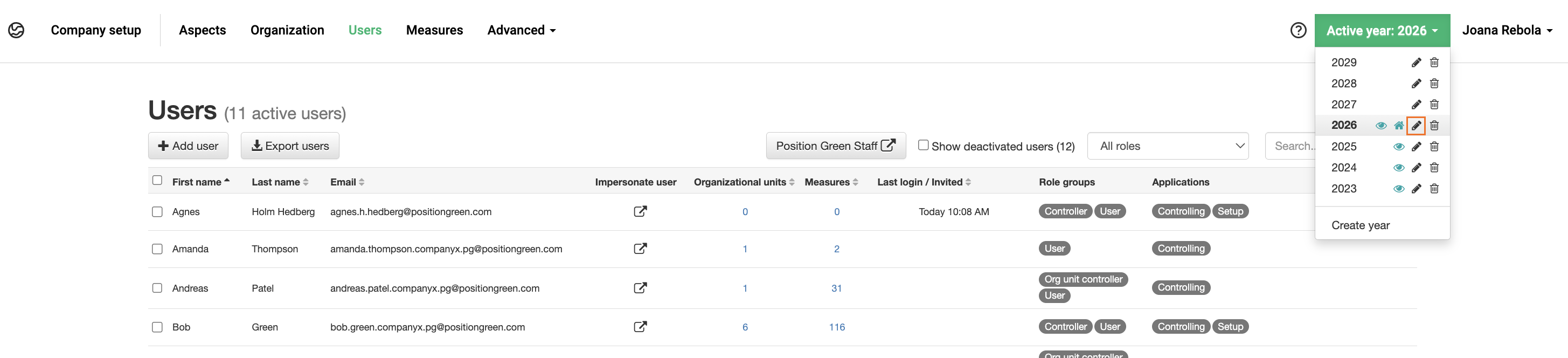
You create a new year in the Active year menu.

The year menu.
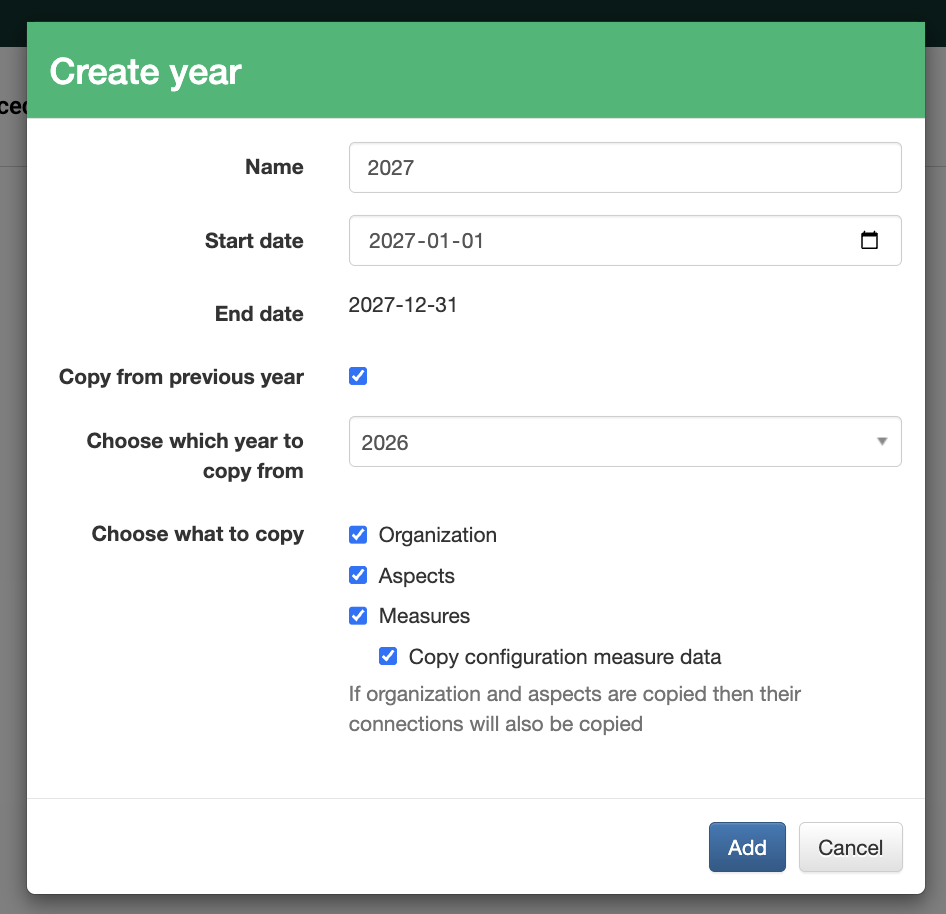
The setup from a previous year can be copied. The organization, aspects, and measures can all be copied. Copying a year allows for KPIs to be monitored over time using, for example, visualizations and historical data.
When checking "Copy configuration measure data", the configuration measure(s) and their values are copied to the new year. We recommend that you select this box if you want to have the same structure in the historical years. By checking this box, you (or your PG team) don't need to fill in the configuration measure(s) again.
Follow the Gregorian calendar year or define a period.
Define:
- A name - for example, 2027.
- A start date - for example, January 1st, 2027.
- An end date - for example, December 31st, 2027.
Edit year settings.
Advanced settings
Advanced settings are found under the pen icon - edit year.
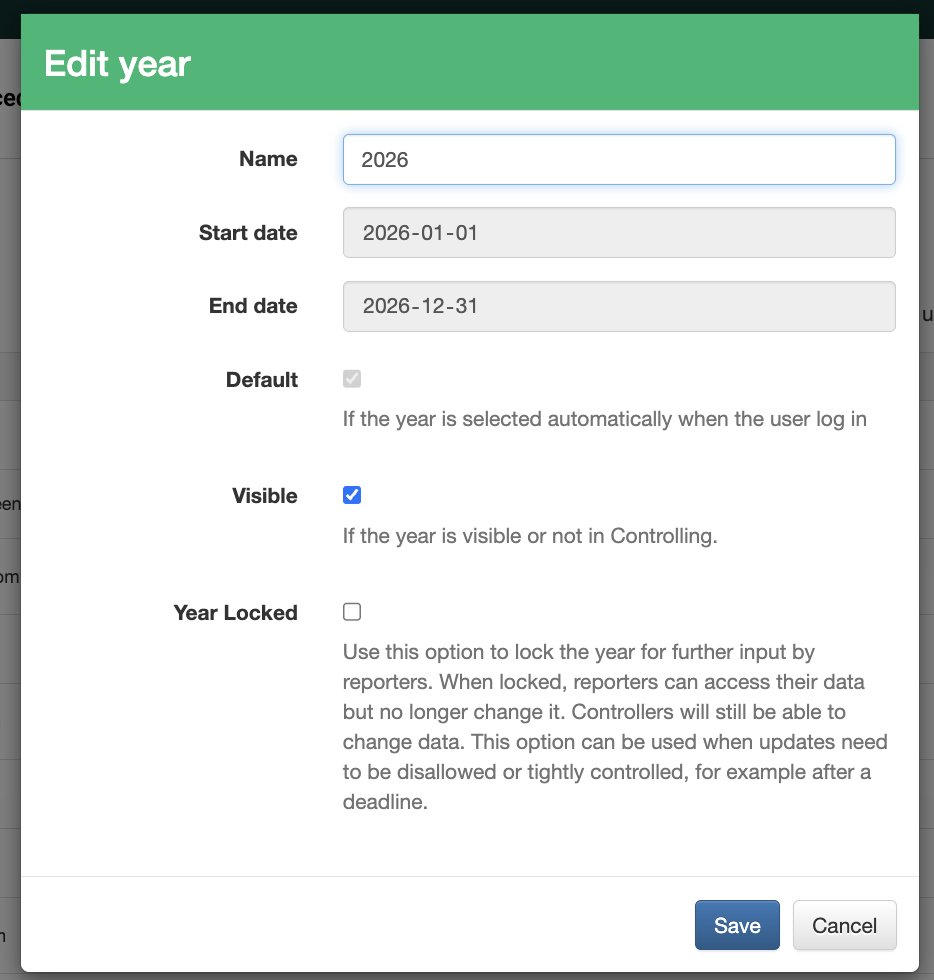
- Default - The year selected for reporters to view upon login. Only one year can be the default.
- Visible - Reporters can see visible years. Ensure this box is ticked before reporting begins. Controllers can see all years, visible or otherwise.
- Year locked - At the end of a reporting year, once all registrations are made and no more changes are needed, a year can be locked. Reporters will be shown an information bar if a year is locked.
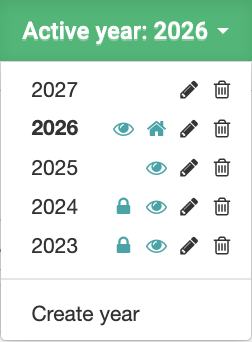
Four visible years, 2026 is set as the default, and 2024 and 2023 are locked for actions.
Was this article helpful?
That’s Great!
Thank you for your feedback
Sorry! We couldn't be helpful
Thank you for your feedback
Feedback sent
We appreciate your effort and will try to fix the article